English
EN
4
OUT
IN
ANTENNA
IN
OUT
OUT
IN
ANTENNA
OUT
Chapter 1 Connections
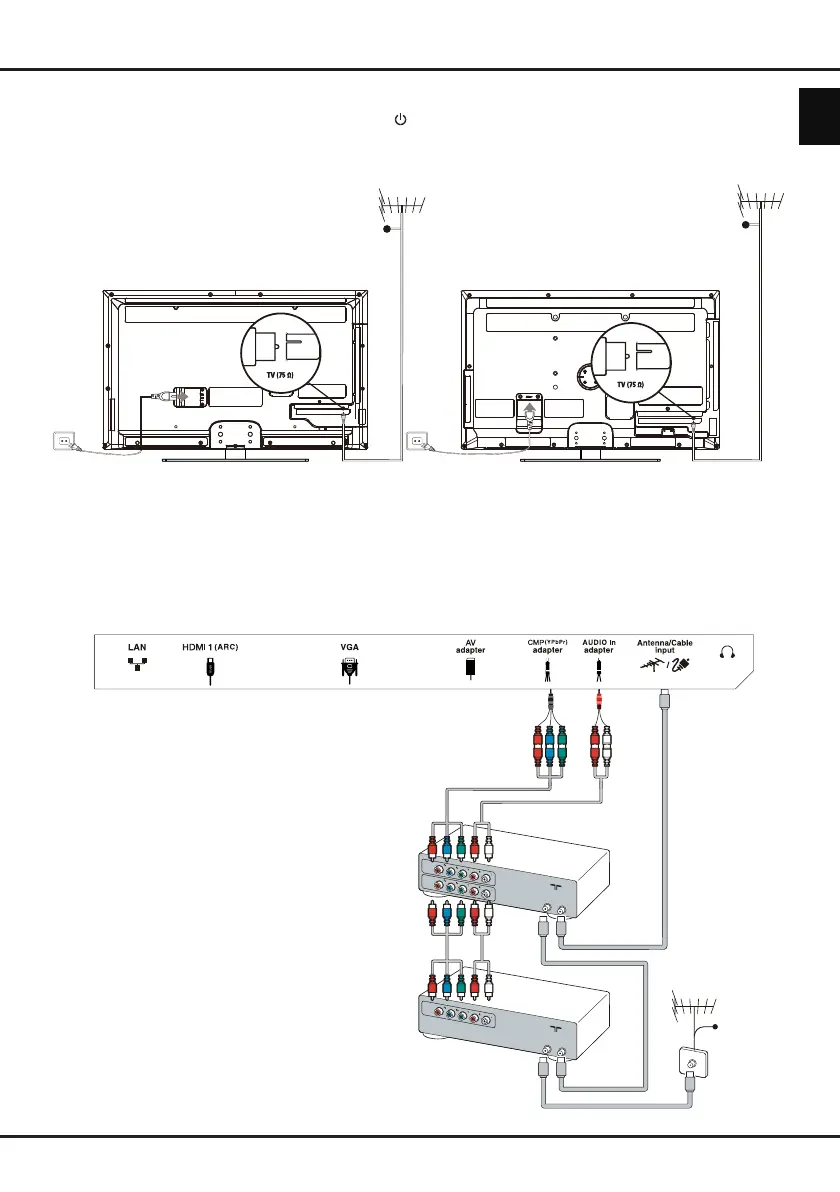
Connecting the power and antenna
To switch on TV after connecting power cord, press .
Note: Position of power socket varies according to TV model. On certain models, you have to turn on the power
switch first.
DVD recorder, cable receiver
Note: Disconnect the power cord before connecting devices.
Note: this TV set is not compatible with DLNA (Digital Living Network Alliance).
Cable
DVD
recorder
Set-top
box
(For LT-39HG48U)
Cable
(For LT-32HA48U)
Cable
Downloaded from www.vandenborre.be



 To Next Page
 Loading...







