GB-34
DTV CONFIGULATION (IN DIGITAL TV MODE ONLY)
Time Setting
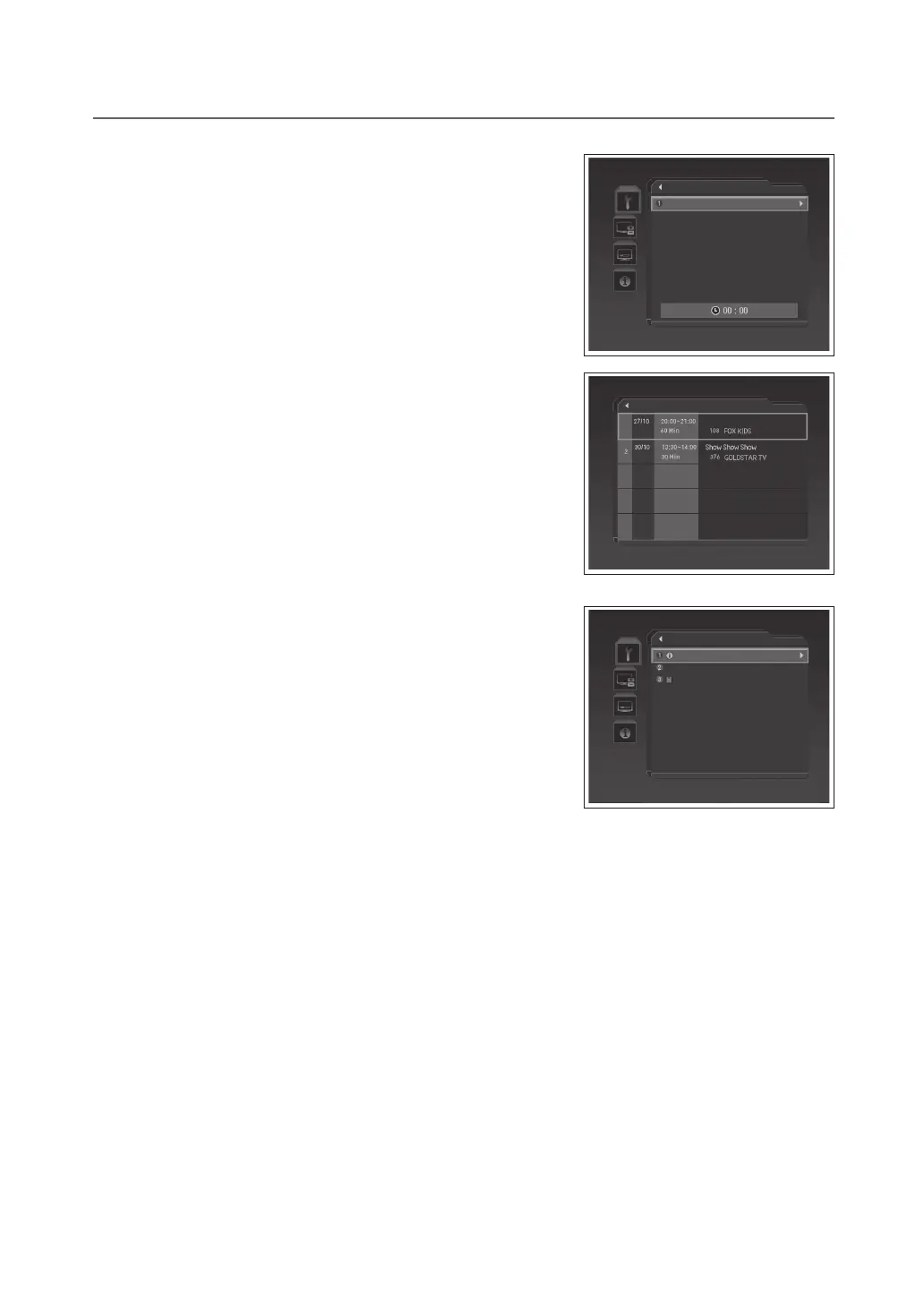
Select DTV Setup > Configuration > Time Setting.
● GMT Offset:SettheGMToffsetforcurrenttime.
NOTE:
The current time is set automatically whenever GMT offset changes.
WhenGMT Offset is set to Auto, you have to tune the terrestrial channel
for a certain period of time to set the time automatically.
Schedule
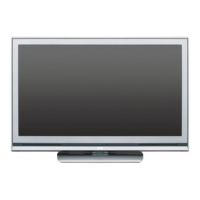
Select DTV Setup > Configuration > Schedule.
The reserved programmes will be displayed in time order.
Select the programme you want to edit and press the OK button.
Select a blank space and press the OK button to add a new reservation.
NOTE: For detailed information about Schedule, refer to Programme Guide >
Reserving a Watching > Schedule (p.24).
Miscellaneous Settings
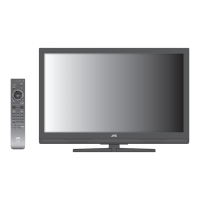
Select DTV Setup > Configuration > Miscellaneous Settings.
● i-Plate Display Time:Setthedurationoftheinformationboxtobe
displayed when you switch the channel.
NOTE: WhenitissettoDisable, the i-plate will not be displayed when the
channel is switched.
● OSD Transparency:Disable–30-50-70-100
● Option in Channel List:Setwhetherornottodisplaythescrambled
icon in the i-plate and channel list.
▪
▪
GMT offset setting
Time Setting
GMT Offset GMT+0100
Information box display time
Miscellaneous Setting
Display Time
OSD Transparency
Option in CH List
5 sec
30%
Off
Schedule


 To Next Page