INSTALLATION
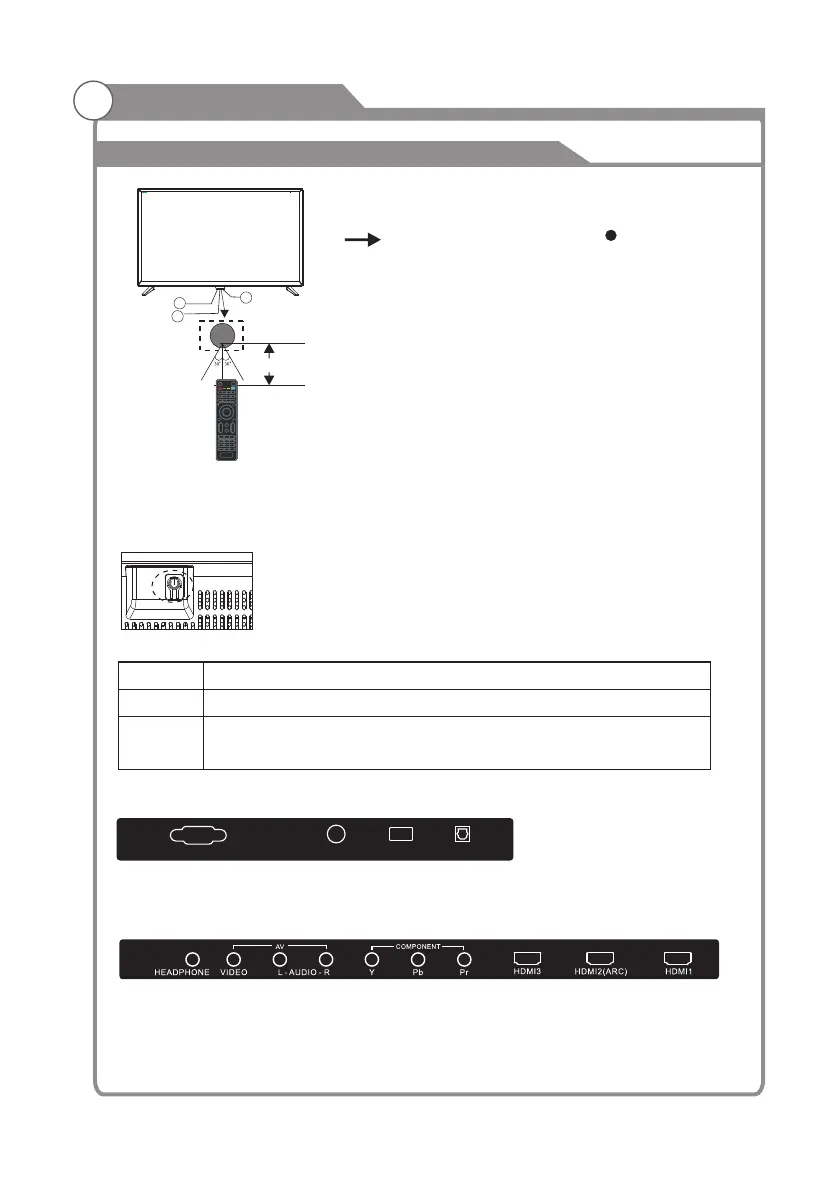
Front panel
REAR Connections
SIDE Connections
1: Remote control sensor.
2: Indicator LED: RED STANDBY.
3: Key board
3
2
1
≤8m
Bottom
The keyboard is located at the bottom left near the right side of signal indicator.
KEYBOARD
Rocker
-5-
A ll the terminals are(from left to right): VGA, RF INPUT, USB, OPTICAL OUTPUT.
All the terminals are (from left to right):
HEADPHONE,VIDEO, AUDIO INPUT, YPbPr INPUT, HDMI3, HDMI2(ARC), HDMI1.
VGA RF USB
OPTICAL
TV Status Press
Power off
Power on
Power to power on.
-Short press to select source, then press again to select the channel
you want, wait a few seconds to jump to the source.
-Long press to power off.



 To Next Page
 Loading...