Need help?
Do you have a question about the JVC MAGNETOSCOPE HR-J460MS and is the answer not in the manual?
Essential safety information for operating the VCR, including handling electrical hazards and environment.
Step-by-step guide to connect the VCR to the TV and antenna for proper operation.
Configuring the AV2 input for decoders, tuners, or other devices for recording or playback.
Guides through automatic channel tuning and clock setting for initial VCR setup.
Instructions for downloading pre-set tuning data from a compatible TV.
How to access and navigate the VCR's main menu and settings screens.
Options for enabling or disabling on-screen display indicators.
Enabling energy-saving features to reduce power consumption when the VCR is off.
Starting a recording of the currently viewed program with one operation.
Features for automatically controlling TV and VCR power states.
Selecting the appropriate color system for recording or playback.
Instructions for loading, playing, and stopping a video cassette.
Using functions like pause, slow motion, and high-speed search.
Quickly accessing previously recorded timer programs.
Adjusting tape tracking manually for optimal playback quality.
Accessing recorded programs using index codes.
Fast-forwarding through commercials or unwanted parts of a tape.
Setting the VCR's action after tape rewind.
Playing back a tape automatically up to 50 times.
Instructions for playing NTSC format tapes.
Choosing between Hi-Fi Stereo, bilingual, or normal audio tracks.
Adjusting picture quality for playback using AUTO, COPY, NET settings.
Guide to recording TV programs directly onto a video tape.
How to view the program being recorded and select channels.
Understanding the counter and remaining tape duration displays.
Recording for a set duration (30 min to 6 hrs) and auto-stop.
Receiving and understanding stereo and bilingual NICAM broadcasts.
Configuring the B.E.S.T. system for optimal recording and playback image quality.
Initiating the recording process with the B.E.S.T. system active.
Initiating playback and how the B.E.S.T. system adjusts image quality.
Entering SHOW VIEW numbers and program details for timer recording.
Setting PDC mode and engaging the VCR's timer function.
Setting start/end times and dates for express timer recordings.
Information on using PDC for accurate timer recordings.
Steps for recording satellite programs using SHOW VIEW.
Checking, cancelling, and correcting programmed timer recordings.
Automatic speed change for tape length and timer operation.
Setting up the VCR for automatic recording from a satellite tuner.
Connecting a camcorder to record video onto the VCR.
Connecting two VCRs for copying tapes and setting up the process.
Setting the AV2 input mode (AUX, DECODER, DEC. SAT).
Wiring guide for connecting a satellite tuner to the VCR and TV.
Instructions for connecting a decoder to the VCR and satellite tuner.
Connecting the VCR's Hi-Fi audio outputs to a stereo system.
Manual setting of the VCR's clock and date.
Using PDC signals to automatically adjust the clock.
Performing an automatic scan to tune and store all available TV channels.
Reviewing the list of detected channels after an automatic scan.
Exiting the confirmation screen and returning to the normal display.
Adding or editing channel information manually.
Removing unwanted channels or reorganizing the channel list.
Setting up the VCR to receive and decode scrambled channels.
Assigning custom names to TV channels for easier identification.
A reference list of TV channels and their abbreviations.
Manually adjusting channel reception for optimal picture clarity.
Setting guide numbers for SHOW VIEW timer recordings.
Solutions for power supply issues and tape loading/transport errors.
Troubleshooting playback errors and recording failures.
Resolving problems with timer recording functionality.
Addressing other operational issues like sound problems or channel skipping.
Answers to common questions regarding tape playback.
Answers to frequently asked questions about timer recording.
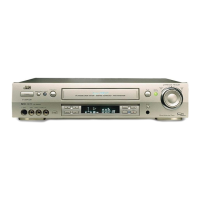
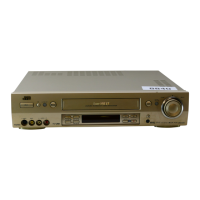
Identification and function of buttons and indicators on the VCR's front panel.
Layout and function of connectors on the rear of the HR-J660MS model.
Layout and function of connectors on the rear of the HR-J460/260MS models.
Explanation of various symbols and information shown on the VCR's display panel.
Detailed description of the remote control's buttons and their functions.
Using the remote to control basic functions of a connected JVC television.
Technical details including power, dimensions, video/audio standards, and tuner frequency ranges.
Specifications for timer functions, included accessories, and important warnings.

 To Next Page
 General