Basic operations of disc/file playback
24
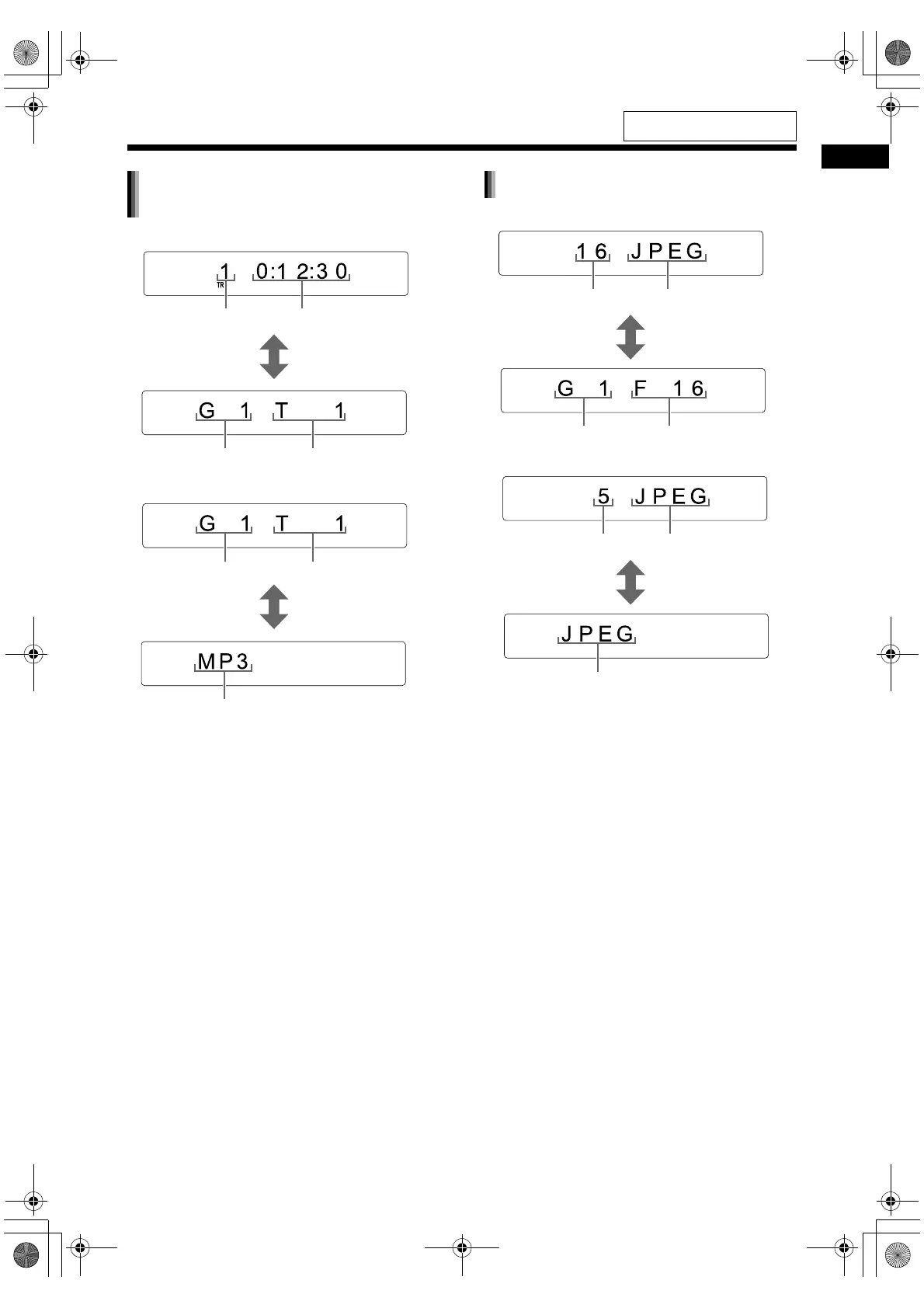
■ When a file is played back
■ When a file is stopped
• When “RESUME” is displayed in the display win-
dow, refer to page 26.
• The display differs according to the file type.
When a file is stopped, “MP3”, “WMA”, “WAV”,
“ASF”, “DIVX” or “MPEG” appears. (The
“MPEG” display refers to an MPEG1 or MPEG2
file.)
■ When a file is played back
■ When a file is stopped
MP3/WMA/WAV/ASF/DivX/MPEG1/
MPEG2 file
Track number
Elapsed playback time
[DISPLAY] is pressed.
Track numberGroup number
Group number Track number
[DISPLAY] is pressed.
File type
JPEG file
File number
File type
[DISPLAY] is pressed.
File numberGroup number
File number File type
[DISPLAY] is pressed.
File type
For the locations of the remote
control buttons, refer to page 19.
NX-F3_NX-F7[A]EN-06.fm Page 24 Thursday, May 1, 2008 3:31 PM


 To Next Page
 Loading...