17
3. The display will show “Alarm Saved“ after the setup is done.
4. Once the alarm is set,
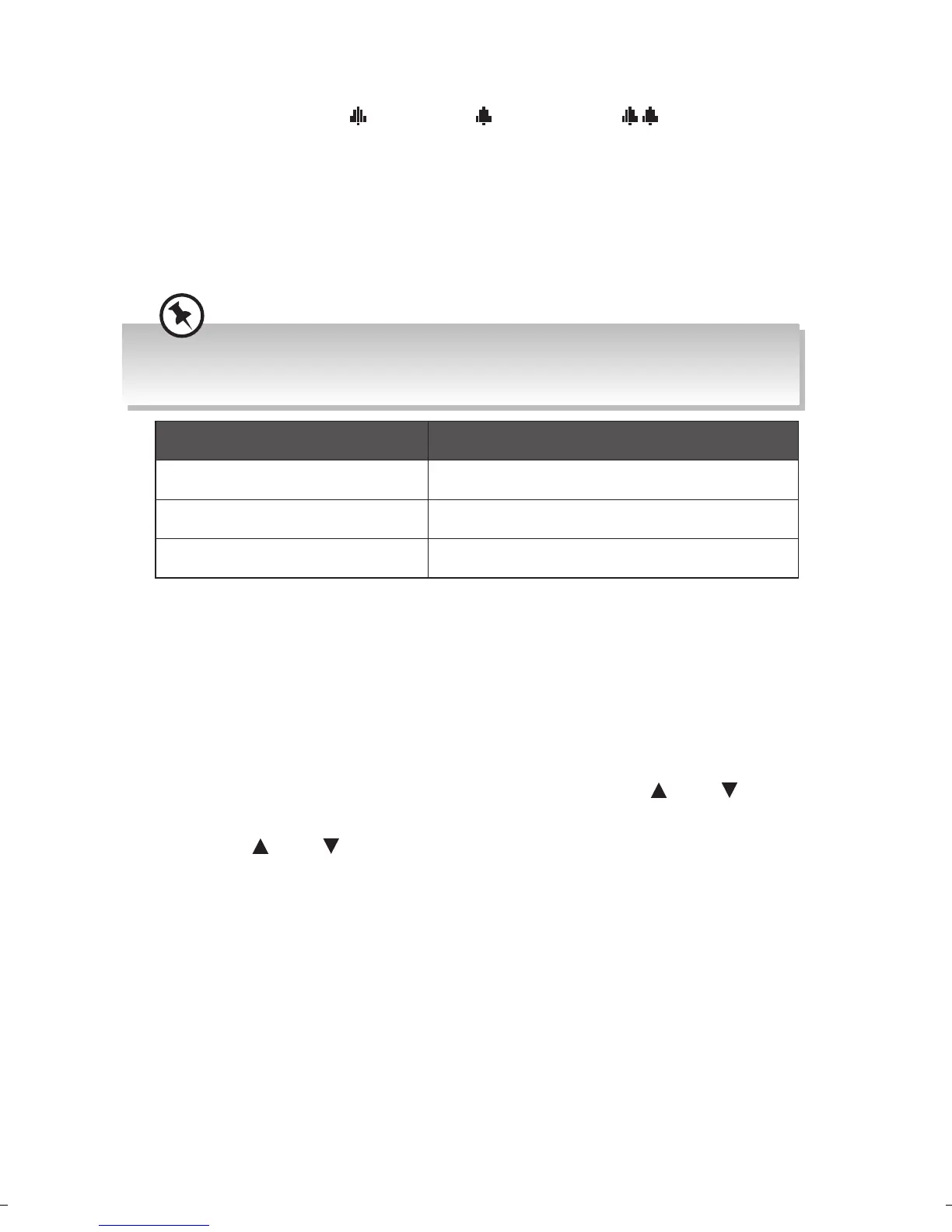
1 (Alarm 1)/ 2 (Alarm 2) or (Both Alarm 1
and Alarm 2) icon will show on the display.
5. To temporarily switch o alarm, press SNOOZE/Dimmer button to
activate Snooze function when alarm sounds. Press SNOOZE/Dimmer
button repeatedly to set snooze period time of 5, 10, 15 or 30 minutes
in turn. The set snooze time will show on the display and unit will go to
standby.
The options of Snooze time depends on which alarm duration time you
selected.
Alarm duration time Snooze time
15 minutes 5 or 10 minutes
30 minutes 5, 10 or 15 minutes
45/60/90/120 minutes 5, 10, 15 or 30 minutes
6. To turn o alarm, press Standby or Alarm/Mode button when alarm
sounds.
Software version
This information may be requested when dealing with technical support
issues.
1. Press and hold Info/Menu button, and then press Tune
/Tune
button to select <System>. Press Select button to conrm.
2. Press Tune
/Tune button to select <SW version>, and then press
Select button to conrm.
3. The software version will show on the display.
4. Press Info/Menu button to exit.
RA-D38x_IB_Final180424.indd 17 24/4/18 11:11 am


 To Next Page
 Loading...