19
Storing Stations
You can store up to 10 of your favourite DAB stations to the memory. This will enable you to
access your favourite stations quickly and easily.
1. To store a preset, you must rst be listening to the
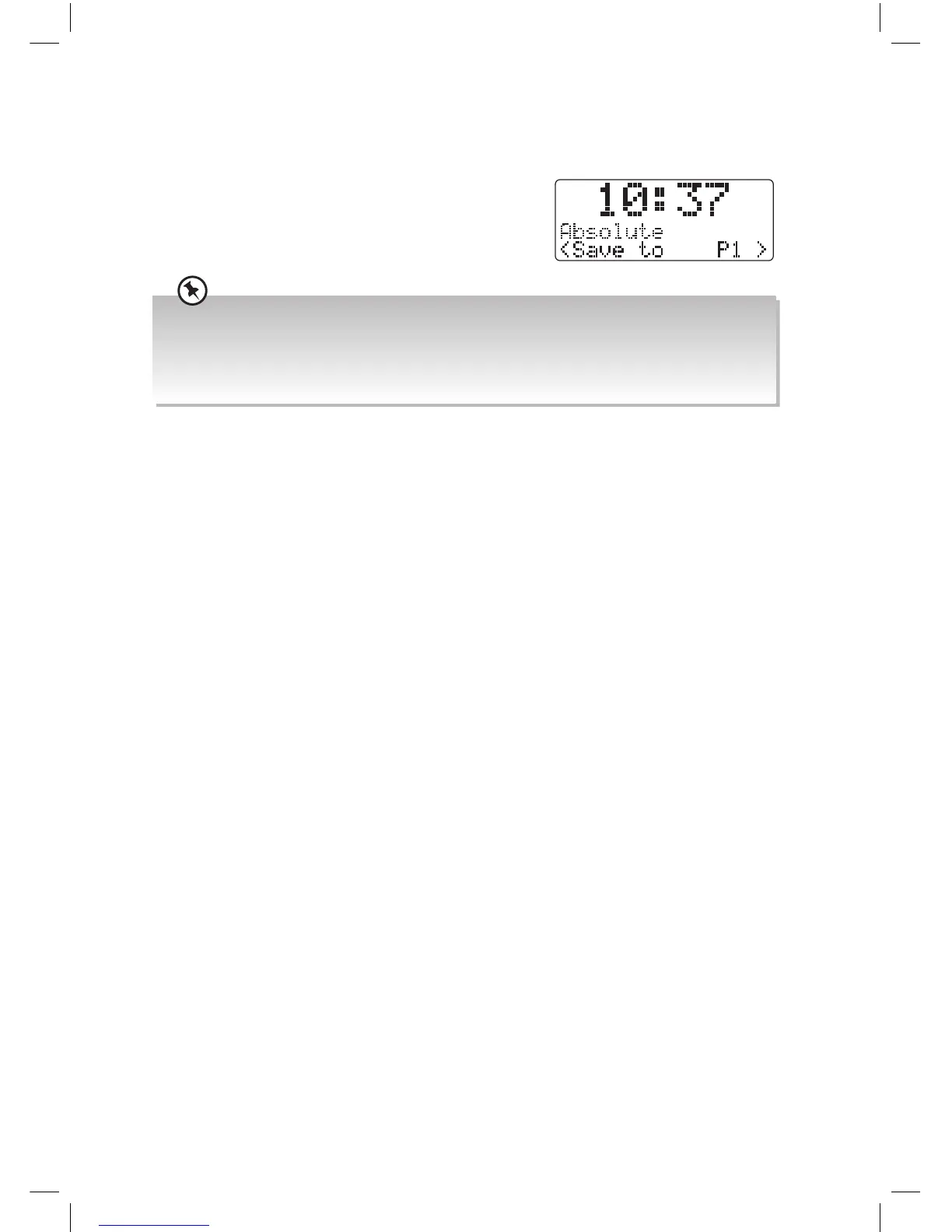
station that you would like to save, press and hold
the PRESET RECALL/STORE button for 2 seconds.
The words “Save to P” will show on the display.
2. Turn the VOLUME/SELECT dial to select your desired preset station number and then
press the VOLUME/SELECT dial to conrm.
3. The station will be stored and the screen will then show “Preset # Stored“.
Recalling a Stored Station
1. Once you have saved a station to one of the preset buttons, you can recall it by pressing
the PRESET RECALL/STORE button.
2. Turn the VOLUME/SELECT dial to select your desired preset station number.
3. Press the VOLUME/SELECT dial to conrm the selection.
4. If you choose a preset that hasn’t been allocated a station, “Empty“ will be displayed.
• Please note that you have to press and hold the PRESET RECALL/STORE button for 2 seconds. If you
see the word “Preset Recall” in the display you didn’t hold the PRESET RECALL/STORE button down
for long enough.
• If a radio station has previously been stored you will see “the stored station name or frequency and P#”
in the display. Press VOLUME/SELECT and you can save a new station into this preset position.
JVC Wooden DAB Radio RA-D51 Manual.indd 19 11/09/2017 13:15



 To Next Page
 Loading...




