Need help?
Do you have a question about the JVC SEA-70 and is the answer not in the manual?
Details power requirements and voltage selection for different regions.
Essential safety precautions to prevent fire, shock, and damage.
Guidelines for proper placement, power cord handling, and malfunction advice.
Visual guide for connecting the equalizer to audio components.
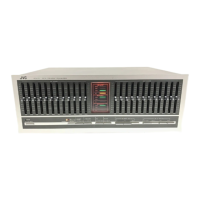
Overview of all buttons, switches, and indicators on the front panel.
Describes specific switches for recording, line output, and SEA functions.
Explains the SEA controls and frequency band adjustments.
Instructions for listening to program sources and recorded tapes.
Steps for recording, dubbing, and monitoring audio.
How the SEA system compensates for room acoustics and audio component responses.
Making precise adjustments for optimal sound in different environments.
Solutions for problems like no sound or no SEA compensation.
Schematic representations of the unit's internal circuitry.
Comprehensive technical data including circuit details, impedance, and output levels.
Graphical data on frequency response and distortion.
 General
| Brand | JVC |
|---|---|
| Model | SEA-70 |
| Category | Recording Equipment |
| Language | English |

 To Next Page