EasyManua.ls Logo

JVC SP-PWA85 - User Manual

JVC SP-PWA85
130 pages
Print Icon
To Next Page IconTo Next Page
Loading...
TH-A85
LVT1025-010B
[US, UB]
TH-A55
English
DVD DIGITAL CINEMA SYSTEM
INSTRUCTIONS
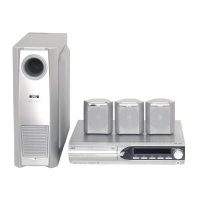
Consists of XV-THA85, SP-PWA85, SP-THA85C and SP-THA85F
Consists of XV-THA55, SP-PWA55, SP-THA55C, SP-THA55F and SP-THA55S
TH-A85-55[USUB]-01Cov1.fm Page 1 Monday, August 4, 2003 9:08 PM

Table of Contents

Other manuals for JVC SP-PWA85

Questions and Answers

  • C
    Chad CampbellNov 21, 2025
    Why is my JVC SP-PWA85 remote control not working?
    • M
      Michelle FranklinNov 21, 2025
      There are several reasons why the remote control might not be working. You may be too far from the center unit (try operating it within 7 meters), there might be an obstruction between the remote and the sensor, or the remote might not be aimed correctly. Ensure the remote is pointed at the remote sensor. Also, make sure you've selected the correct source equipment on the remote. The batteries might be exhausted or inserted incorrectly, so try replacing them, ensuring correct polarity (+/–). Direct sunlight on the remote sensor can also interfere, so shield the sensor from direct sunlight. Finally, the remote control signals may not be set correctly; try entering the correct manufacturer’s code. If you are trying to control DVD player or tuner, press DVD or FM/AM button correspondingly bef...
  • J
    Juan FitzpatrickAug 25, 2025
    How to fix a JVC Home Theater System that does not power on?
    • S
      sherry64Aug 26, 2025
      If the power does not come on, ensure that the power cord is correctly connected to both the center unit and a functioning AC outlet.
  • K
    kimberlymooreAug 27, 2025
    Why is there no picture on my TV screen from my JVC Home Theater System?
    • G
      Gina MaloneAug 27, 2025
      If you're not seeing a picture on your TV screen, first ensure that the video cord is correctly connected. Then, verify that you've selected the correct input on your TV. Finally, confirm that the disc you are trying to play is a playable disc.
  • C
    Cynthia NielsenAug 27, 2025
    What to do if my JVC Home Theater System is not working correctly?
    • J
      jaredwarrenAug 27, 2025
      If the system isn't working correctly, it could be due to interference from lightning or electronic noise. Try switching the power off, then disconnect and reconnect the power plug. If the system was recently moved from a warm to a cold location, condensation might have formed inside. In this case, switch the power off and let the system sit for a few hours before turning it back on.
  • S
    Sean AcostaAug 29, 2025
    Why can't I play a disc on my JVC Home Theater System?
    • R
      Robert BergerAug 29, 2025
      There are a few reasons why a disc might not play. First, check if the center unit’s and disc’s Region Code numbers are compatible; if not, replace the disc. Also, Parental Lock may be enabled; enter the password to change the Parental Lock level. If you are trying to play MP3 files, make sure that MP3 files have the file extension in their file names. If you are trying to play JPEG files, make sure that JPEG files have the correct file extension in their file names. If no MP3 or JPEG files are recorded to the disc, replace the disc.
  • D
    Derek AyalaSep 18, 2025
    Why can't I operate the MP3 control display on my JVC Home Theater System?
    • P
      paulahurleySep 18, 2025
      If the MP3 control display appears but no operation can be performed, it could be because no MP3 or JPEG files are recorded on the disc, or the disc is an unplayable type like a CD-ROM. Replace the disc with a playable one containing MP3 or JPEG files.
  • J
    jeremiah06Sep 14, 2025
    Why isn't One-Touch DVD Play working on my JVC Home Theater System?
    • T
      Tiffany SmithSep 15, 2025
      If One-Touch DVD Play isn't working, even with the AV COMPU LINK cord connected correctly, the video output jack type to watch the DVD playback may not be set correctly. Ensure that “M. OUT” is properly set to watch the DVD playback.
  • G
    Gerald GonzalesSep 16, 2025
    Why does my JVC SP-PWA85 keep turning off by itself?
    • G
      gvegaSep 16, 2025
      If the system suddenly turns off by itself, the Sleep Timer or Auto Standby function may be activated. Turn these functions off.
  • N
    nuneztammySep 7, 2025
    How to adjust the picture to fit the TV screen with my JVC SP-PWA85 Home Theater System?
    • J
      joseph89Sep 7, 2025
      If the picture doesn't fit the TV screen, ensure that the monitor type is set properly. Also, verify that the TV settings are correctly configured.
  • D
    Donna SmithSep 4, 2025
    Why is there no sound from the center or surround speakers on my JVC SP-PWA85?
    • A
      Aaron MurilloSep 4, 2025
      If you're not getting any sound from the center and/or surround speakers, the speaker setting may be incorrect. Make sure to set the speaker setting properly.

JVC SP-PWA85 Specifications

General IconGeneral
BrandJVC
ModelSP-PWA85
CategoryHome Theater System
LanguageEnglish

Related product manuals