EasyManua.ls Logo

JVC SP-PWM303 - User Manual

JVC SP-PWM303
52 pages
Print Icon
To Next Page IconTo Next Page
Loading...
JVC
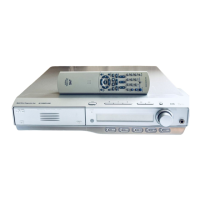
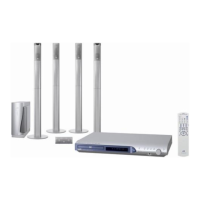
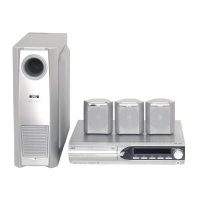
DVD DIGITAL THEATER SYSTEM
TH-M606/TH-M603
Consists of XV-THM606, SP-PWM606, SP-THM606F,
SP-THM606C and SP-THM606S/
Consists of XV-THM603, SP-PWM603, SP-THM606F,
SP-THM606C and SP-THM606S
TH-M505/TH-M501
Consists of XV-THM505, SP-PWM505, SP-THM505F,
SP-THM505C and SP-THM505S/
Consists of XV-THM501, SP-PWM501, SP-THM303F,
SP-THM303C and SP-THM303S
The figure is for the TH-M606.
TH-M303/TH-M301
Consists of XV-THM303, SP-PWM303, SP-THM303F,
SP-THM303C and SP-THM303S/
Consists of XV-THM301, SP-PWM301, SP-THM303F,
SP-THM303C and SP-THM303S
The figure is for the TH-M505.
IIIIIIII/I//
STRUCTIONS
D_GITAL
SURROUND
For Customer Use:
Enter below the Model No. and Serial
No. which are located either on the rear,
bottom or side of the cabinet. Retain this
information for future reference.
Model No.
Serial No.
LVT1147-001B
[J,C]

Table of Contents

Other manuals for JVC SP-PWM303

Questions and Answers

  • J
    johnsonlisaAug 12, 2025
    Why is there no sound coming from my JVC Home Theater System?
    • K
      kathleen11Aug 12, 2025
      If you're not getting any sound from your JVC Home Theater System, several things could be the cause. First, the system cord or speaker cord might not be properly connected, so check those connections. Also, the audio cord may not be correctly connected to VCR IN or DIGITAL IN (DBS). Ensure you've selected the correct source on your system. Finally, the decode mode might not be set correctly; try selecting the proper decode mode.
  • V
    Veronica DiazAug 16, 2025
    What to do if JVC SP-PWM303 remote control does not work?
    • C
      charlesarellanoAug 16, 2025
      If the remote control for your JVC Home Theater System isn't working, the first thing to check is the batteries. If they're exhausted, replace them. Also, sunlight falling directly on the remote sensor can interfere with its operation, so try to shield the sensor from direct sunlight.
  • C
    Caitlyn DavidsonAug 20, 2025
    What to do if there is no picture displayed on the JVC SP-PWM303 Home Theater System TV screen?
    • G
      gmasonAug 20, 2025
      If you're not seeing a picture on your TV screen with your JVC Home Theater System, make sure the video cord is correctly connected. Also, ensure that the disc you are trying to play is a playable disc.
  • N
    nicoledrakeAug 25, 2025
    Why JVC SP-PWM303 Home Theater System power does not come on?
    • J
      Jessica DixonAug 25, 2025
      If your JVC Home Theater System isn't powering on, it could be due to the power cord or system cord not being properly connected. Ensure both cords are correctly connected.
  • J
    Jennifer HowellAug 27, 2025
    What to do if video and audio are distorted on JVC SP-PWM303?
    • M
      Malik JenkinsAug 27, 2025
      If the video and audio from your JVC Home Theater System are distorted, the disc may be scratched or dirty, so try replacing or cleaning it. Another potential cause is a VCR connected between the center unit and the TV. If this is the case, connect the center unit and TV directly.
  • E
    Erin HendersonAug 31, 2025
    Why is no picture displayed, blurred, or divided into two parts on my JVC Home Theater System TV screen?
    • C
      Carl NealAug 31, 2025
      If you're experiencing a missing, blurred, or split picture on your TV screen with your JVC Home Theater System, the scan mode might be set to “PAL PROG.” or “NTSC PROG.” while connected to a TV that doesn't support progressive video input. Try changing the scan mode to “PAL” or “NTSC.”
  • T
    Todd MillerSep 4, 2025
    How to adjust the picture to fit the TV screen on JVC SP-PWM303?
    • A
      andrewsallenSep 4, 2025
      If the picture from your JVC Home Theater System doesn't fit the TV screen, the monitor type might not be set correctly. You should set “MONITOR TYPE” properly.
  • D
    Daniel SmithSep 7, 2025
    Why is it hard to listen to broadcast because of noise on JVC SP-PWM303?
    • C
      Charles CamposSep 7, 2025
      If you're finding it hard to listen to broadcasts due to noise on your JVC Home Theater System, it could be that the antennas are disconnected. Try reconnecting the antennas correctly and securely.

Summary

INSTRUCTIONS

Warnings, Cautions and Others

Description of parts and controls

Front panel (center unit)

Illustration and labels for the front panel of the center unit.

Rear panel (center unit)

Illustration and labels for the rear panel of the center unit.

Powered subwoofer

Illustrations and labels for the front and rear of the powered subwoofer.

Remote control

Illustration and labels for the remote control buttons.

Connections

Connecting the FM and AM antennas

Instructions for connecting the AM loop antenna and FM antenna.

Assembling the front and surround speakers

Step-by-step guide for assembling the front and surround speakers with stands.

Connecting the satellite (front, center, surround) speakers

Diagram and instructions for connecting satellite speakers to the powered subwoofer.

Connecting a TV

Instructions for connecting the system to a TV using component or composite/S-video connections.

Connecting the powered subwoofer

Instructions for connecting the powered subwoofer to the center unit using the system cord.

Connecting the power cord

Final step to connect the power cord to the center unit and power outlet.

Operating external components with the remote control

Operating the TV

Instructions for setting the manufacturer's code to control a TV with the remote.

Operating the DBS tuner or CATV converter

Instructions for setting the manufacturer's code to control a DBS tuner or CATV converter.

Operating the VCR

Instructions for setting the manufacturer's code to control a VCR.

Basic operations

Turning the system on;off

How to turn the system on and off using the remote control or center unit.

Optimizing the speaker settings [Smart Surround Setup]

Guide to automatically optimize speaker settings using sound detection.

Selecting the source to play

How to select the audio/video source (DVD, FM/AM, VCR, DBS) for playback.

Playback

Basic playback

Steps for basic playback of discs, including disc loading and playback controls.

Advanced operations

Using the surround mode

How to select and use various surround sound modes.

Selecting the surround mode

How to manually select surround modes for 2-channel sources.

Sound and other settings

Setting DVD preferences

:Picture menu (PICTURE)

Options for setting monitor type (16:9, 4:3 LB, 4:3 PS) and picture source (Auto, Film, Video).

: Audio menu (AUDIO)

Settings for dynamic range compression (Auto, On).

Tuner operations

AV COMPU LINK remote control system

Connecting a TV and VCR

Instructions for connecting TVs and VCRs using AV COMPU LINK.

References

Troubleshooting

Common problems and their solutions.

JVC SP-PWM303 Specifications

General IconGeneral
BrandJVC
ModelSP-PWM303
CategoryHome Theater System
LanguageEnglish

Related product manuals