EasyManua.ls Logo

JVC SP-PWC3 - User Manual

JVC SP-PWC3
51 pages
Print Icon
To Next Page IconTo Next Page
Loading...
TH-C7
GVT0150-001D
[J/C]
TH-C5
For Customer Use:
Enter below the Model No. and Serial
No. which are located either on the rear,
bottom or side of the cabinet. Retain this
information for future reference.
Model No.
Serial No.
TH-C6
TH-C4/TH-C3
DVD DIGITAL THEATER SYSTEM
Consists of XV-THC7, SP-PWC7,
SP-THC7F, SP-THC7C and SP-THC5S
Consists of XV-THC6, SP-PWC6,
SP-THC6F, SP-THC6C and SP-THC6S
Consists of XV-THC5, SP-PWC5,
SP-THC5F, SP-THC5C and SP-THC5S
Consists of XV-THC4, SP-PWC4,
SP-THC4F, SP-THC4C and SP-THC4S
Consists of XV-THC3, SP-PWC3,
SP-THC3F, SP-THC3C and SP-THC3S
INSTRUCTIONS
TH-C3C4C5C6C7[JC]-01Cov1.fm Page 1 Wednesday, July 6, 2005 4:04 PM

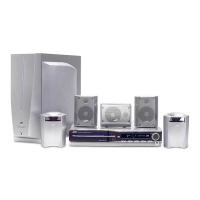
Table of Contents

Questions and Answers

  • C
    Christian JonesAug 20, 2025
    How to fix noisy broadcast on JVC Home Theater System?
    • C
      collinsjoelAug 20, 2025
      If you are experiencing difficulty listening to the broadcast due to noise, the antennas may be disconnected. Reconnect the antennas correctly and securely.
  • K
    Kevin OdonnellAug 22, 2025
    Why is there no sound from my JVC SP-PWC3?
    • S
      Shannon RobinsonAug 22, 2025
      There could be several reasons for the lack of sound. First, ensure that the system cord and speaker cords are properly connected. Also, verify that the audio cord is correctly connected to the AUX IN and/or DIGITAL IN. Make sure that you have selected the correct source and that the decode mode is set properly.
  • M
    Mr. Ryan Scott DVMAug 25, 2025
    What to do if the JVC Home Theater System remote control does not work?
    • A
      Ann OwenAug 25, 2025
      If the remote control isn't working, start by replacing the batteries. If that doesn't solve the issue, check whether sunlight is falling directly on the remote sensor and, if so, shield the sensor from direct sunlight.
  • R
    Richard FarmerAug 26, 2025
    What to do if there is no picture on my JVC Home Theater System connected to the TV?
    • E
      Elizabeth PierceAug 26, 2025
      First, check that the video cord is correctly connected. If the connection is correct, make sure you are using a playable disc.
  • P
    powellmichaelAug 27, 2025
    Why won't my JVC Home Theater System power on?
    • C
      Christina CarpenterAug 28, 2025
      The most likely cause is that the power cord or the system cord is not correctly connected. Ensure that both cords are properly connected.
  • S
    Susan SimonAug 29, 2025
    What to do if the picture from my JVC Home Theater System doesn't fit the TV screen?
    • E
      Elizabeth FryeAug 30, 2025
      If the picture doesn't fit the TV screen, the monitor type may not be set correctly. You should set the “MONITOR TYPE” properly.
  • P
    Philip PrestonAug 31, 2025
    What to do if the video and audio are distorted on my JVC Home Theater System?
    • C
      Crystal NelsonAug 31, 2025
      If the video and audio are distorted, the disc may be scratched or dirty. Try replacing or cleaning the disc. Also, if a VCR is connected between the center unit and the TV, connect the center unit and TV directly.
  • E
    Elizabeth RichardsonSep 2, 2025
    Why is the picture blurred or divided into two parts on my JVC Home Theater System?
    • C
      Claudia LindseySep 2, 2025
      This issue can occur if the scan mode is set to “PROGRESS” and the TV connected to the center unit does not support progressive video input. Change the scan mode to “RGB” or “Y/C”.
  • D
    Dorothy FordSep 4, 2025
    Why is there no sound coming from my JVC Home Theater System?
    • R
      robert71Sep 4, 2025
      If you're not getting any sound from your JVC Home Theater System, there are several things to check: First, make sure the system cord and speaker cords are properly connected. Next, verify that the audio cord is correctly connected to AUDIO IN (VCR) and/or DIGITAL IN (DBS). Ensure that you've selected the correct source and the proper decode mode on your system.
  • R
    Rhonda Shaw MDSep 6, 2025
    What to do if JVC SP-PWC3 Home Theater System remote control does not work?
    • G
      George MillerSep 6, 2025
      If your JVC Home Theater System remote control isn't working, the first thing to check is the batteries. If they're exhausted, replace them. Also, make sure that direct sunlight isn't falling on the remote sensor, as this can interfere with its operation. If sunlight is the issue, simply shield the sensor from the direct light.

JVC SP-PWC3 Specifications

General IconGeneral
BrandJVC
ModelSP-PWC3
CategoryHome Theater System
LanguageEnglish

Related product manuals