(No.MB563)1-17
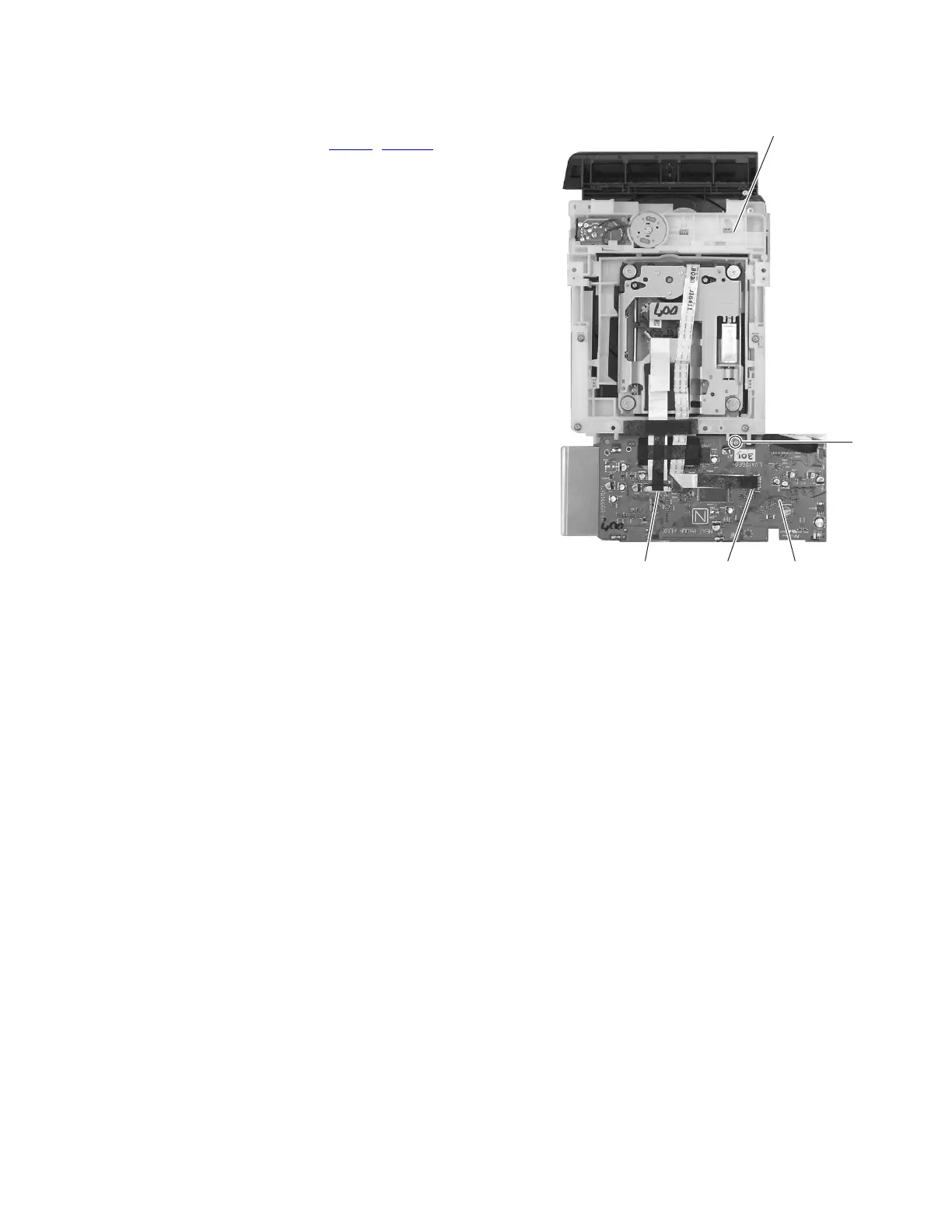
3.1.9 Removing the DVD board
(See Fig.20)
• Remove the DVD assembly.
(1) From the bottom side of the DVD assembly, disconnect the
card wires from the connectors (CN101
, CN1201) on the
DVD board.
(2) Remove the screw T attaching the DVD board to the DVD
assembly. (See Fig.20)
(3) Take out the DVD board.
Fig.20
DVD assembly
T
CN101 CN201 DVD board



 To Next Page