Home
JVC
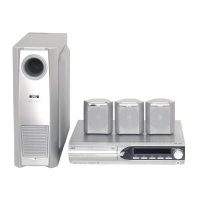
Home Theater System
SP-PWS7
JVC SP-PWS7 - User Manual
48 pages
Manual
Specs
Ask a question
Save Page as PDF
To Next Page
To Next Page
Loading...
L
VT1149-010A
[A, US, UB
, UW
, UG, UX]
English
D
VD DIGIT
AL CINEMA SYSTEM
INSTR
UCTIONS
Consists of XV
-THS9, SP-PWS9,
SP-THS9F, SP-THS9C and SP-THS9S
Consists of XV
-THS7, SP-PWS7, SP-THS7F,
SP-THS9C and SP-THS7S
TH-S9S7[A]-
0
1Co
v1.fm
Pag
e
1 Friday, Ap
r
i
l 2
,
200
4 5:
30 PM
2
Table of Contents
Main Page
Default Chapter
2
Warnings, Cautions and Others
2
Table of Contents
4
Introduction
5
Notes on Handling
5
Supplied Accessories
5
About Discs and Memory Cards
6
Playable Disc Types
6
Playable Memory Cards
7
Description of Parts and Controls
8
Front Panel (Center Unit)
8
Rear Panel (Center Unit)
8
Powered Subwoofer
9
Remote Control
10
Putting Batteries in the Remote Control
10
Operating the System from the Remote Control
10
Connections
11
Connecting the FM and am Antennas
11
Assembling the Front and Surround Speakers
12
Connecting the Satellite (Front, Center, Surround) Speakers
13
Speaker Layout
15
Connecting a TV
15
Connecting the Powered Subwoofer
15
Connecting to an Analog Component
16
Connecting to a Digital Component
16
Setting the VOLTAGE SELECTOR Switch (Except for Hong Kong and Australia)
16
Connecting the Power Cord
16
Operating External Components with the Remote Control
17
Operating the TV
17
Operating the DBS Tuner or CATV Converter
17
Operating the VCR
18
Basic Operations
19
Turning the System On/Off
19
Selecting the Source to Play
20
Adjusting the Volume [VOLUME]
20
Listening with Headphones (Not Supplied)
20
Turning off the Sound Temporarily [MUTING]
20
Adjusting the Brightness of the Indications [DIMMER]
20
Sleep Timer [SLEEP]
21
Adjusting the Output Level of the Subwoofer and Center/Surround Speakers
21
Adjusting the Treble Sound [TREBLE]
21
Changing the Scan Mode
21
Optimizing the Speaker Settings [Smart Surround Setup]
22
Playback
23
Basic Playback
23
One Touch Replay
25
Fast-Forward/Fast-Reverse Search
25
Skip to the Beginning of a Desired Selection
25
Locating a Desired Title/Group Using Number Buttons
26
Playing Back a Bonus Group
26
Advanced Operations
27
Using the Surround Mode
27
Using the On-Screen Bar
28
Changing the Time Information
29
Playing from a Specified Position on a Disc
30
Locating a Desired Position by Specifying the Time
31
Using the File Control Display
31
Resume Playback
32
Selecting a View Angle
32
Selecting the Subtitle
32
Selecting the Audio
33
Special Picture Playback
33
Changing the Vfp Setting
34
Still Picture
34
Program Playback
35
Random Playback
36
Repeat Playback
36
Tray Lock
37
Sound and Other Settings
38
Setting DVD Preferences
39
Using the Setup Menus
39
Menu Description
39
Tuner Operations
42
Setting the am Tuner Interval Spacing
42
Manual Tuning
42
Preset Tuning
43
Selecting the FM Reception Mode
43
Reducing the Noise of am Broadcast
43
AV COMPU LINK Remote Control System
44
References
45
Maintenance
45
Troubleshooting
45
Specifications
46
Need help?
Do you have a question about the JVC SP-PWS7 and is the answer not in the manual?
Ask a question
JVC SP-PWS7 Specifications
General
Brand
JVC
Model
SP-PWS7
Category
Home Theater System
Language
English
Related product manuals
JVC SP-PWS8
50 pages
JVC SP-PWS5
50 pages
JVC SP-PWS9
142 pages
JVC SP-PWS66
77 pages
JVC SP-PWS55
77 pages
JVC SP-PWC6
51 pages
JVC SP-PWC3
51 pages
JVC SP-PWM45
134 pages
JVC SP-PWA10
69 pages
JVC SP-PWA55
68 pages
JVC SP-PWM508
53 pages
JVC SP-PWM303
52 pages

 Need help?
 General

 To Next Page