EasyManua.ls Logo

JVC TH-A55 - User Manual

JVC TH-A55
66 pages
Print Icon
To Next Page IconTo Next Page
Loading...
TH-A85
LVT1025-009B
[A]
TH-A55
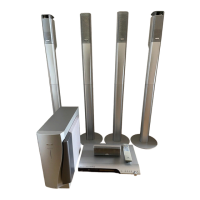
DVD DIGITAL CINEMA SYSTEM
INSTRUCTIONS
Consists of XV-THA85, SP-PWA85, SP-THA85C and SP-THA85F
Consists of XV-THA55, SP-PWA55, SP-THA55C, SP-THA55F and SP-THA55S
TH-A85-55[A]-01Cov1.fm Page 1 Thursday, July 31, 2003 4:09 PM

Table of Contents

Other manuals for JVC TH-A55

Questions and Answers

  • K
    Kristen WilsonSep 9, 2025
    Why is the picture from my JVC TH-A55 Home Theater System blurred or divided?
    • B
      Brian BlairSep 9, 2025
      If the picture is blurred, divided, or not displaying at all, the scan mode might be set to “PROGRESSIVE” when your TV doesn't support progressive video input. Change the scan mode to “INTERLACE”.
  • E
    Edward MartinezSep 8, 2025
    How do I adjust the bass level for stereo sound on my JVC Home Theater System?
    • M
      Megan NguyenSep 8, 2025
      If the bass sound is too strong when listening in stereo, it means that the appropriate bass level for stereo sound is not selected. Adjust the “AUDIO POS” setting properly.
  • J
    Jeremy CarterAug 25, 2025
    What to do if there is no sound from my JVC Home Theater System?
    • W
      waltersdeborahAug 25, 2025
      If you're not getting any sound, first check that the system cord and speaker cords are properly connected. Also, check for any shorts in the speaker cord and reconnect if necessary. Ensure the audio cord is correctly connected to AUDIO IN (VCR) and/or DIGITAL IN (DBS). Make sure that you have selected the correct source and that muting is not enabled – press MUTING to cancel. Finally, verify that the decode mode is set correctly.
  • V
    Victoria PetersonSep 5, 2025
    What does it mean when my JVC Home Theater System displays “0:00” and won't play a disc?
    • J
      James ClarkSep 5, 2025
      If the display window shows “0:00” and the disc won't play, the disc may be loaded upside down. Load the disc correctly. It is also possible that the disc is unplayable, so replace the disc.
  • V
    Victoria SchmidtSep 4, 2025
    Why is there no sound from the center or surround speakers on my JVC TH-A55 Home Theater System?
    • G
      Gregory LeSep 4, 2025
      If you're not getting any sound from the center and/or surround speakers, the speaker setting may be incorrect. Make sure to set the speaker setting properly.
  • R
    rmorrisSep 3, 2025
    Why is sound only coming from one front speaker on my JVC TH-A55?
    • K
      Kyle BrooksSep 3, 2025
      If sound is only coming from one front speaker, first verify that the speaker cord is correctly connected. If the connection is good, check that the left-right balance is properly adjusted.
  • V
    Victor Jones DDSSep 1, 2025
    Why are the video and audio distorted on my JVC TH-A55 Home Theater System?
    • D
      David MillerSep 1, 2025
      If the video and audio are distorted, the disc may be scratched or dirty. Try replacing or cleaning the disc. If a VCR is connected between the center unit and the TV, connect the center unit and TV directly. Also, with some discs, a picture may be blurred when setting “PICTURE SOURCE” to “FILM” or “AUTO”; try setting “PICTURE SOURCE” to “VIDEO (NORMAL)” or “VIDEO (ACTIVE)”.
  • L
    Lisa IbarraAug 31, 2025
    How to reduce noise when listening to radio on my JVC TH-A55 Home Theater System?
    • M
      Marcus LyonsAug 31, 2025
      To improve broadcast quality, ensure the antennas are correctly and securely reconnected. If using the AM loop antenna, adjust its position and direction, as it might be too close to the center unit. For FM broadcasts, fully extend and optimally position the supplied FM antenna. If listening to AM, experiment with different Beat Cut modes.
  • C
    Chad PerezAug 30, 2025
    How to restore power to the subwoofer on my JVC TH-A55?
    • R
      Richard VasquezAug 30, 2025
      If the powered subwoofer isn't receiving power, first ensure that the power cord of the subwoofer is firmly plugged into an AC outlet. Turn off the system, plug the power cord into the outlet, and then turn the system back on. Also, check that the system cord is properly connected.
  • J
    Jessica SimsAug 28, 2025
    Why can't I play a disc on my JVC TH-A55?
    • J
      Jacob GreenAug 29, 2025
      There are a few reasons why a disc might not play. First, check if the center unit’s and disc’s Region Code numbers are compatible; if not, replace the disc. Also, Parental Lock may be enabled; enter the password to change the Parental Lock level. If you are trying to play MP3 files, make sure that MP3 files have the file extension in their file names. If you are trying to play JPEG files, make sure that JPEG files have the correct file extension in their file names. If no MP3 or JPEG files are recorded to the disc, replace the disc.

Summary

Introduction to the System

Notes on Handling and Safety Precautions

Important cautions for installation, power cord usage, and system operation to prevent damage and ensure safety.

Supplied Accessories Checklist

Lists all accessories included with the system, their quantities, and instructions to check for missing items.

About Discs

Disc Types and Compatibility

Details playable disc types (DVD, VCD, SVCD, CD-R/RW, MP3, JPEG) and notes on their specific playback requirements.

Disc Structure and Playback Control

Explains disc organization (titles, chapters, groups) and the Playback Control function for VCD/SVCD.

Names of Parts and Controls

Center Unit Controls (Front & Rear Panels)

Identifies and describes buttons, indicators, and connection terminals on the center unit's front and rear panels.

Display Window and Powered Subwoofer

Details the center unit's display window indicators and the components of the powered subwoofer.

Remote Control Overview

Provides a comprehensive guide to all buttons and functions on the system's remote control.

Getting Started: Connections and Setup

Connecting the TV

Instructions for connecting the TV via component, S-video, or composite video inputs for optimal picture quality.

Connecting Antennas

Details how to connect AM loop and FM antennas for optimal radio reception.

Connecting Power and Speakers

Instructions for connecting the powered subwoofer and satellite speakers to the system.

Assembling Satellite Speakers (TH-A85)

Step-by-step guide for assembling the satellite speakers specifically for the TH-A85 model.

Connecting Components (Analog;Digital)

How to connect analog (VCR, etc.) and digital (DBS, MD) components using appropriate cables.

Connecting the Power Cord

Instructions for safely connecting the power cords to the center unit and powered subwoofer.

Remote Control Setup and Operation

Guide to inserting batteries, setting up the remote for TVs, DBS tuners, and VCRs.

Basic Operations

System Power, Source, and Volume Control

Instructions for turning the system on/off, selecting sources, and adjusting volume levels.

Audio Adjustments and Temporary Muting

Covers listening with headphones, temporarily muting sound, and adjusting audio settings.

Sleep Timer and Brightness Adjustment

How to use the Sleep Timer for auto shut-off and adjust the brightness of the display.

Bass;Treble, Decode, and Scan Mode

Adjusting bass/treble, changing audio decode modes, and selecting scan modes for DVDs.

Playback Modes and Features

Basic Playback and Display Information

Steps for basic disc playback and understanding playback information shown on the display.

Resume Playback and Playback Features

Using resume playback, tray lock, and one-touch replay features for discs.

Search and Selection Functions

Methods for fast-forward/reverse search and locating specific content on a disc.

Tuner Operations

Manual and Preset Tuning

Instructions for manually tuning radio stations and storing them using preset functions.

FM Reception and AM Noise Reduction

Adjusting FM reception modes and using Beat Cut for AM noise reduction.

Creating Realistic Sound Fields

Surround Sound Technologies

Explains Dolby Surround, Dolby Digital, DTS Digital Surround, and DSP modes for immersive audio.

Display Indicators and Surround Mode Usage

Understanding display indicators and how to select and use surround modes.

Sound Level Adjustments

How to test speaker output levels and adjust center and surround speaker levels for optimal balance.

Advanced Operations

On-Screen Bar Navigation and Scene Selection

Using the on-screen bar to check disc info and locate specific scenes or chapters.

MP3;JPEG Control and View Angle

Navigating MP3/JPEG files and selecting different view angles for DVDs.

Subtitle;Audio Language and Special Playback

Selecting subtitle/audio languages and using special playback modes like frame-by-frame.

Program, Random, and Repeat Playback

Setting up custom playback orders, random playback, and repeating selections or parts of discs.

Setting DVD Preferences

Using Choice Menus and Descriptions

Introduction to preference menus (Language, Picture, Audio, Speaker, Others) and their basic operation.

Picture, Audio, and Speaker Settings

Detailed explanations of Picture, Audio, and Speaker setting options for customization.

Other Settings and Parental Lock Management

Covers other system settings like Resume, Auto Standby, and managing Parental Lock.

References

Glossary of Terms

Definitions of technical terms and features used throughout the user manual.

Troubleshooting Common Issues

Provides solutions for general problems such as power, sound, and remote control issues.

Specific Troubleshooting (Media & Features)

Troubleshooting steps for MP3, JPEG, FM/AM, and specific functions like AV COMPU LINK.

Specifications and Accessories

Technical specifications for the system components and a list of included accessories.

JVC TH-A55 Specifications

General IconGeneral
Audio Channels5.1
Speaker Configuration5.1
Subwoofer TypeActive
HDMI Inputs2
Component Video Inputs1
Composite Video Inputs1
Optical Inputs1
USB PortYes
FM TunerYes
TypeHome Theater System
DVD PlayerYes
TunerFM
HDMI Output1
BluetoothNo
RadioFM
Supported MediaDVD, CD

Related product manuals