11
1111
11
EnglishEnglishEnglishEnglishEnglishEnglishEnglish
■■
Parts Identification
Become familiar with the buttons and controls on the center unit and powered sub-woofer before use. Refer to the pages in parentheses for
details.
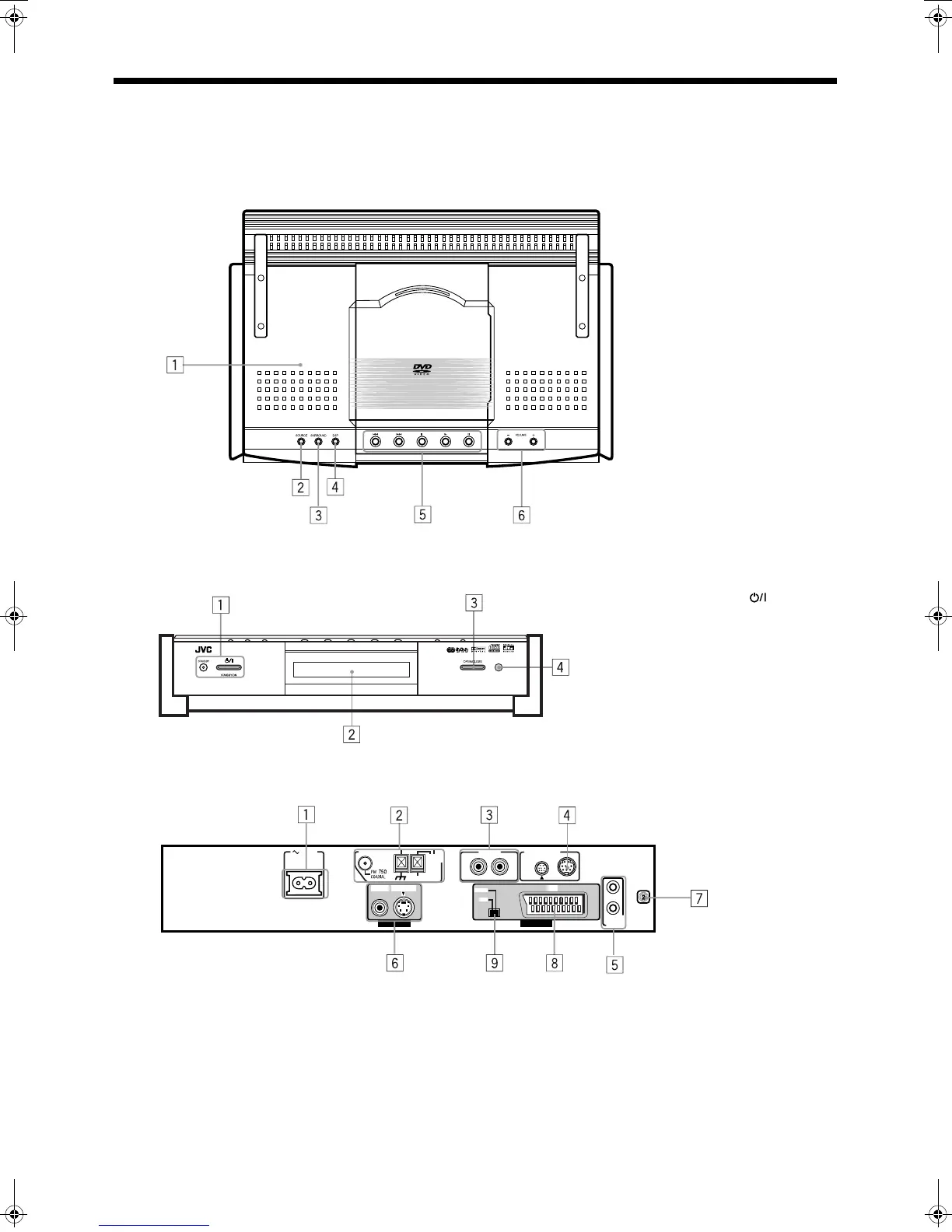
Center unit
Front panel (top view)
Front panel (front view)
Rear panel
1 Disc cover (22)
2 SOURCE button (18)
3 SURROUND button (21)
4 DSP mode button (21)
5 DVD control buttons (23, 24,
25)
6 VOLUME +/– button (17)
DVD DIGITAL CINEMA SYSTEM TH-A9R
1 STANDBY/ON button
and STANDBY lamp (17)
2 Display window
3 OPEN/CLOSE button (22)
4 Remote sensor
AV
COMPU LINK
AUX IN
ANTENNA
AC IN
AM
LOOP
AM EXT
S-VIDEO AV
COMP.
Y/C
VIDEO
VIDEO OUT AV OUT
RL
CONNECTOR
TO SP-PWA9
1 AC IN socket (10)
2 Antenna terminals (6)
3 AUX IN terminals (9)
4 Connector for powered sub-woofer (6)
5 AV COMPU LINK terminals (47)
6 Video output terminals (6, 7)
7 Region code number (5)
8 AV OUT terminal
9 Switch for selecting video output of AV OUT
TH-A9(B).book Page 11 Saturday, February 3, 2001 12:53 PM



 To Next Page