29
2929
29
Using the DVD player
Using the DVD playerUsing the DVD player
Using the DVD player
EnglishEnglishEnglishEnglishEnglishEnglishEnglish
2
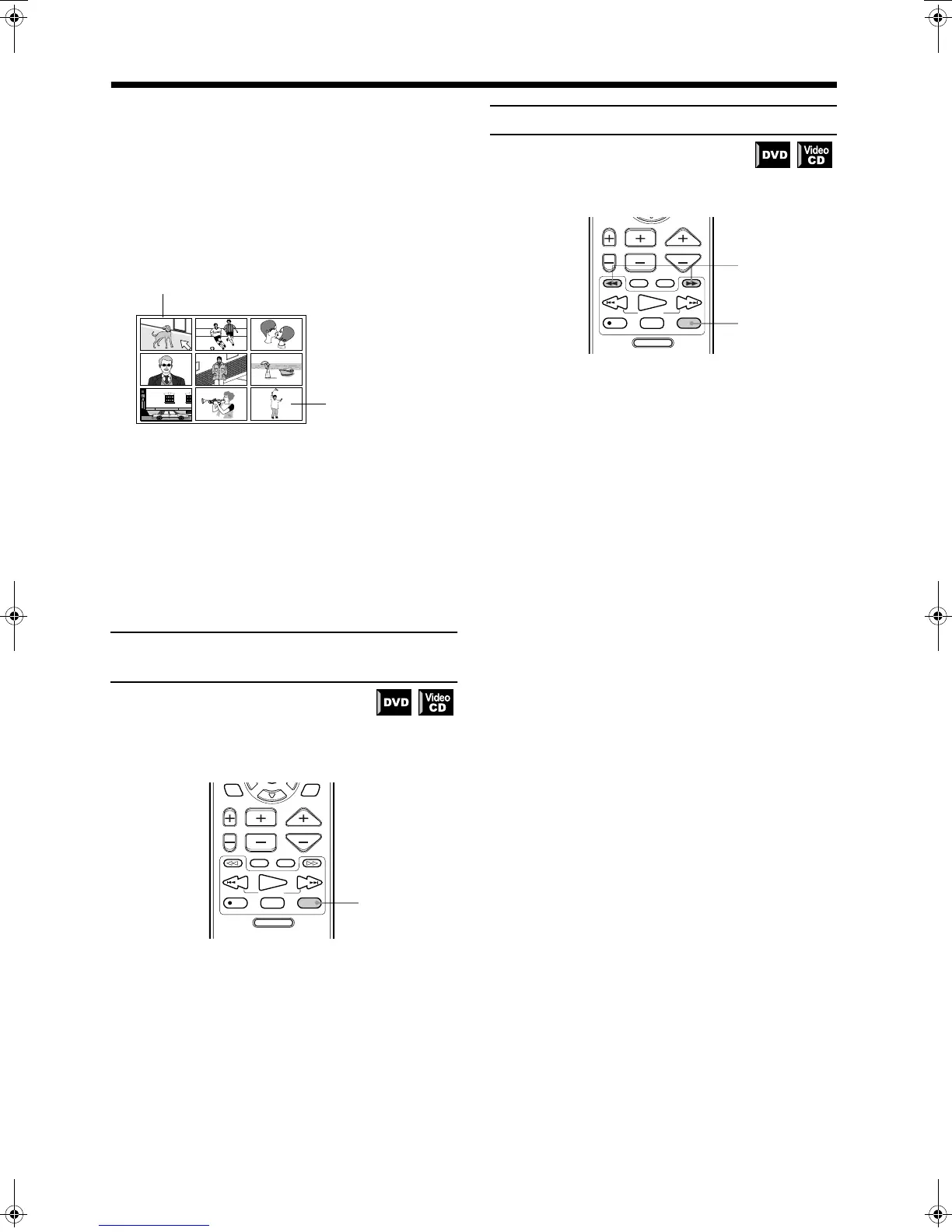
Press the 2
22
2/3
33
3/5
55
5/∞
∞∞
∞ cursors to select the
desired title, chapter, or track.
When the disc contains more than 9 titles, chapters, or tracks,
the digest screen will have more than one page.
In this case, display a different page of the digest with the
method described below.
To display the next page: Press
¢
¢¢
¢
.
To display the previous page: Press
4
44
4
.
Or
When the selected title, chapter or track is in the upper left-
hand corner of the screen, press the
2
cursor.
3
Press ENTER.
The center unit starts playback from the selected title, chapter
or track.
To return to the regular display before pressing
ENTER in step 3:
Press DIGEST again.
Note:
• With some discs, depending on the contents, it may take
some time until all the scenes appear on the screen.
To advance the picture one frame
at a time
Advancing a paused still picture one frame at a time.
❏ During playback
From the remote control:
1
Press PAUSE at the location at which the
picture is to be advanced.
The picture is paused.
2
Press PAUSE again.
Each time you press PAUSE, the still picture advances to the
next frame.
Press PLAY to return to normal playback.
Note:
• You can perform the above operation using
8
button on
the center unit.
Slow-Motion Playback [SLOW]
❏ During playback
From the remote control only:
1
Press PAUSE at the section you wish to view
in slow motion.
The image will pause.
2
Press ¡
¡¡
¡ or 1
11
1.
Pressing
¡
will playback your selection in slow motion,
starting from the paused frame.
Pressing
1
will playback your selection in reverse slow
motion (DVD only).
Each time you press either button during slow-motion, the
playback speed will increase as follows:
Forward:
1/32
=
1/16
=
1/8
=
1/4
=
1/3
=
1/2
Reverse:
1/16
=
1/12
=
1/8
=
1/4
=
1/3
Pausing slow-motion playback
Press PAUSE to pause slow-motion playback.
Restoring regular playback
Press PLAY to resume normal playback.
Notes:
• Audio is automatically muted during slow-motion
playback.
• Video CDs cannot be played in reverse slow-motion.
When the selected title,
chapter, or track is in
the lower right-hand
corner for the screen,
press the
3
cursor.
DVD MENU
TUNING
UPDOWN
REC
/REW
FF/
PAUSE
STROBEMEMORY
TV/VIDEO
MUTING
F.SEARCHB.SEARCH
PLAY
CHANNELTV VOL VOLUME
STOP
THEATER
POSITION
DSP
MODE
PTY SEARCH
RDS DISPLAY
1,2
DVD MENU
TUNING
UPDOWN
REC
STROBEMEMORY
TV/VIDEO
MUTING
F.SEARCHB.SEARCH
PLAY
CHANNELTV VOL VOLUME
STOP
FF/
/REW
PAUSE
PTY SEARCH
RDS DISPLAY
TH-A9(B).book Page 29 Saturday, February 3, 2001 12:53 PM



 To Next Page