(No.MB506)1-11
3.1.5 Removing the audio and digital input board
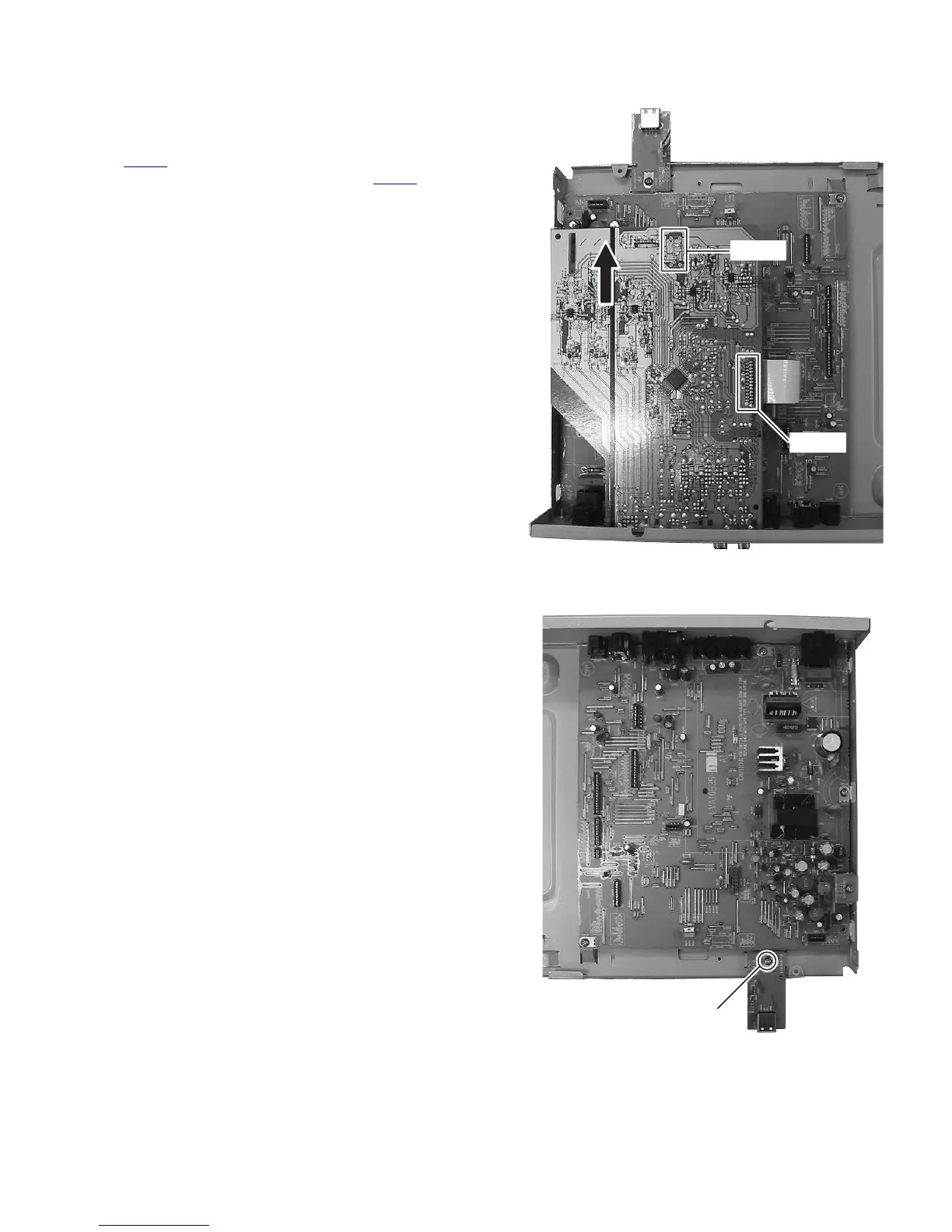
(See Fig.2 and 9)
(1) Remove the two screws G attaching the audio and digital
input board. (See Fig.2)
(2) Disconnect the card wire from main board connected to
CN102
. (See Fig.9)
(3) Disconnect the connection board from CN101
, and then
shift to direction the arrow and take off the audio and digital
input board. (See Fig.9)
Fig.9
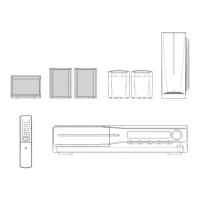
3.1.6 Removing the USB jack board
(See Fig.10)
(1) Remove the one screw H attaching the USB jack board.
(See Fig.10)
Fig.10
CN102
CN101
H


 To Next Page