(No.MB617)1-11
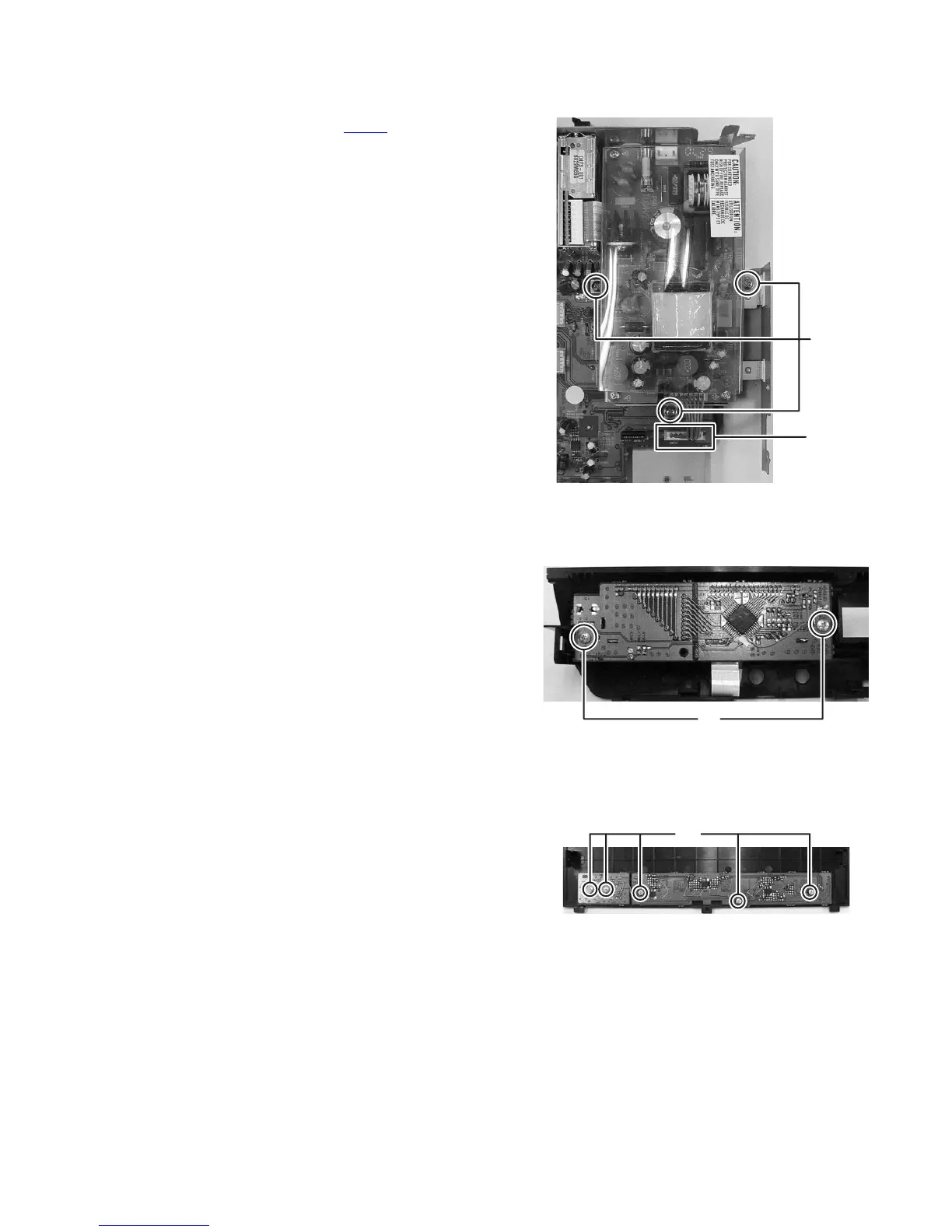
3.1.5 Removing the POWER BOARD assembly
(See Fig.11)
(1) Disconnect the connector wire from POWER BOARD as-
sembly connected to connector CN373
of the MAIN
BOARD assembly.
(2) Remove the three screws E attaching the BRACKET.
Fig.11
3.1.6 Removing the VFD BOARD assembly
(See Fig.12)
(1) Remove the two screws F attaching the VFD BOARD as-
sembly.
Fig.12
3.1.7 Removing the TACT & TOUCH & LED BOARD assembly
(See Fig.13)
(1) Remove the five screws G attaching then TACT & TOUCH
& LED BOARD assembly.
Fig.13
CN373
E
F
G


 To Next Page