1-8 (No.MB617)
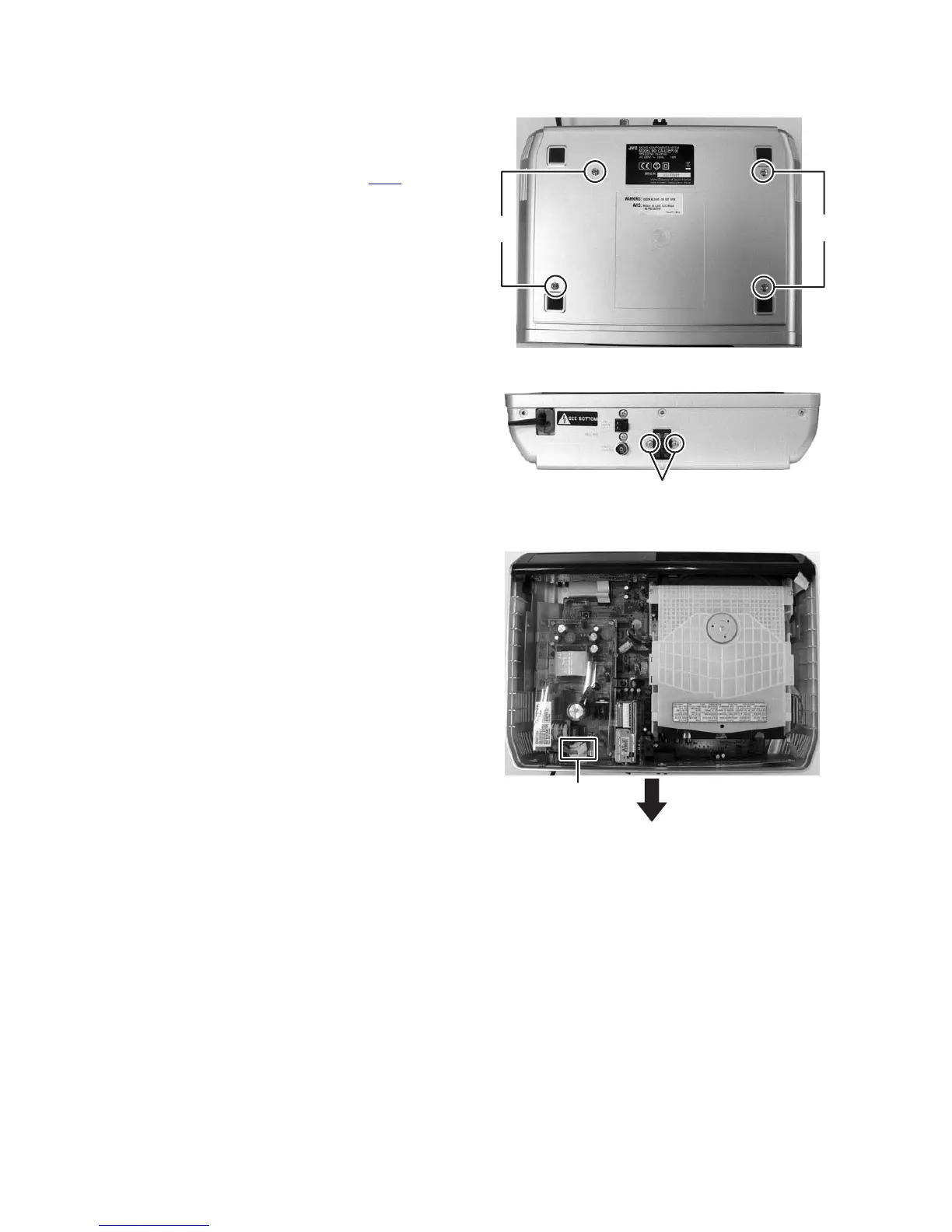
3.1.2 Removing the BOTTOM CASE
(See Fig.3 to 5)
(1) Remove the four screws B attaching the BOTTOM CASE.
(See Fig.3)
(2) Remove the two screws C attaching the SPEAKER TER-
MINAL. (See Fig.4)
(3) Disconnect the POWER CORD from connector P901
of the
POWER BOARD assembly. (See Fig.5)
(4) Slide to backward and remove the BOTTOM CASE. (See
Fig.5)
Fig.3
Fig.4
Fig.5
BB
C
P901


 To Next Page