(No.MB611)1-9
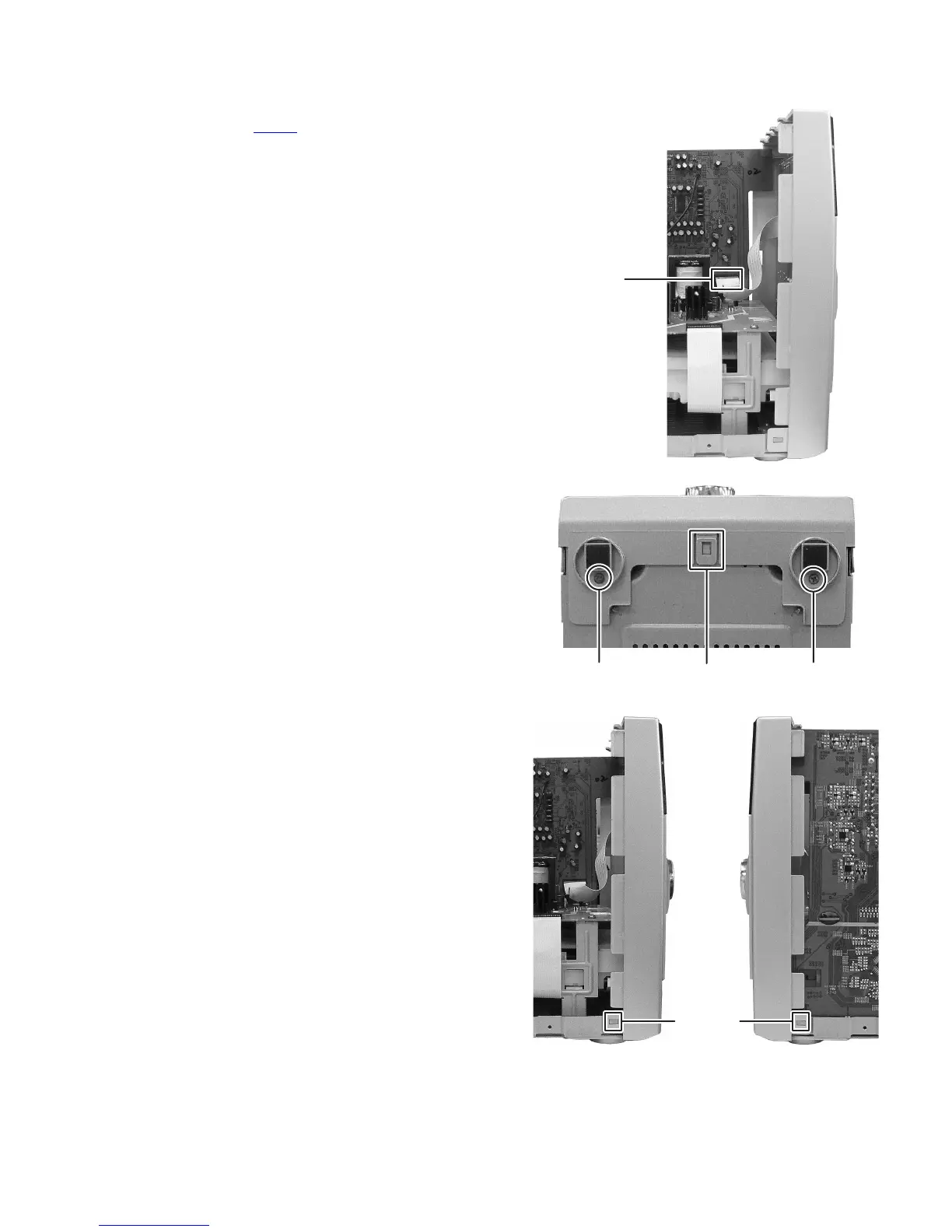
3.1.2 Removing the Front panel assembly
(See Fig.3 to 5)
(1) Disconnect the card wire from front panel assembly con-
nected to connector CN432
of the Main board assembly.
(See Fig.3)
(2) Remove the two screws C attaching the Front panel as-
sembly. (See Fig.4)
(3) Disengage the hook a engaged Front panel assembly.
(See Fig.4)
(4) Disengage the hook b engaged both side of Front panel
assembly. (See Fig.5)
Fig.3
Fig.4
Fig.5
CN432
hook a
CC
hook b



 To Next Page
 Loading...