(No.MB674<Rev.003>)1-19
SECTION 4
ADJUSTMENT
4.1 DVD test mode
(1) Press "DVD/CD" key + "STOP" key on panel, then AC in.
(2) FL display "T xxx xx"
(3) Press "MENU/PL" key repeatedly, until FL display
"CHECK"
(4) Press number key on Remote control "1-10,0 and >=10"
4.2 SYSTEM micom test mode
(1) In DVD/CD mode, press
"SET" key + "9" key + "POWER" key repeatedly
4.3 GENERAL
SECTION 5
TROUBLESHOOTING
This service manual does not describe TROUBLESHOOTING.
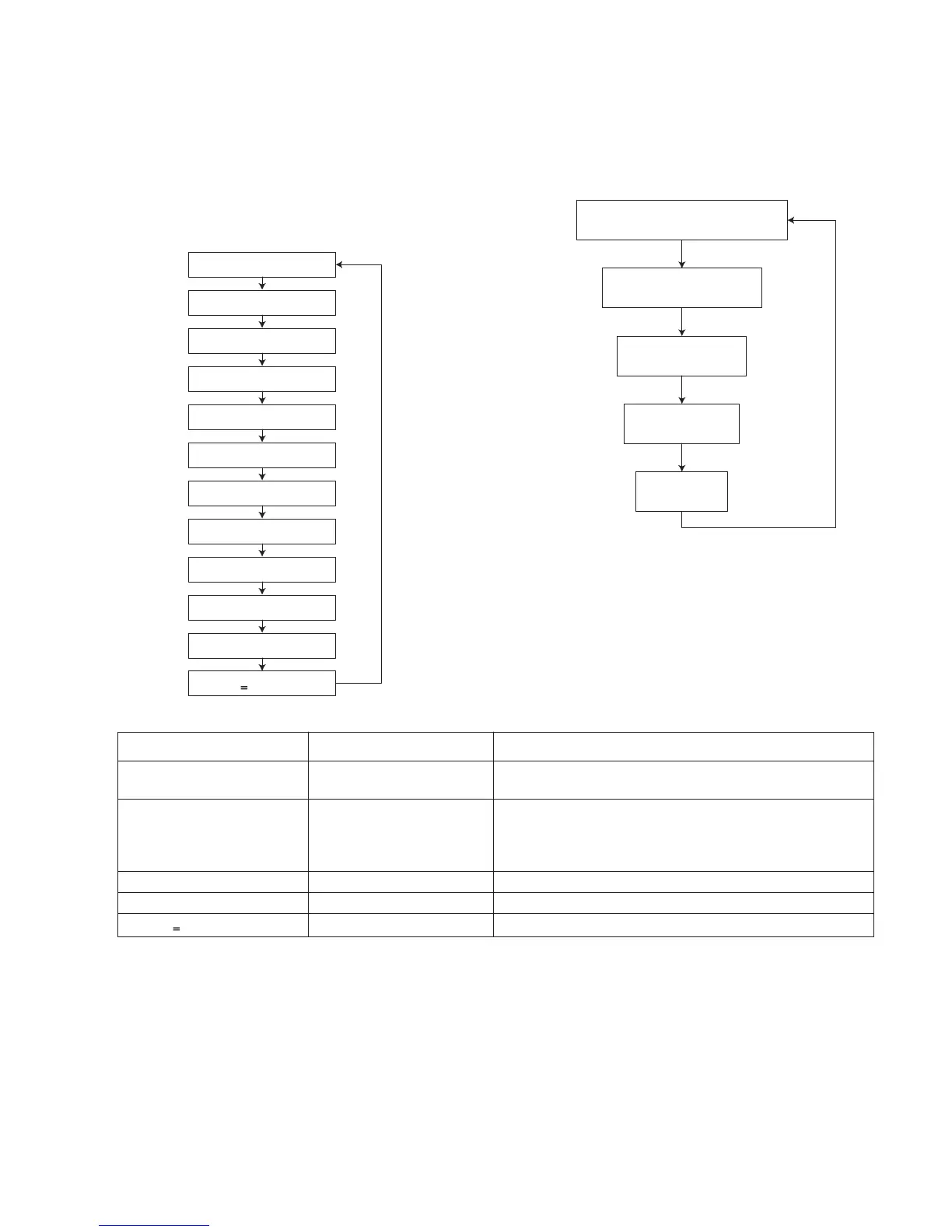
Key 1 : "PLAYBACK"
Key 2 : "WOBBLE"
Key 3 : "TNO-1 SR"
Key 4 : "CDLD LSR"
Key 5 : "DVDLD LSR"
Key 6 : "JITX1"
Key 7 : "EEP BWD"
Key 8 : "EEPFWD"
Key 9 : "TEMP"
Key 10 : "DVD-LD"
Key 0 : "MONITOR"
Key
>
10 : "INIT"
System micom version
G500V : "
32846 00" (1st issued)
(FL ALL DISPLAY)
Set destiunation
eg: "V_U1_9K"
Model name
eg: "G500V"
DVD/CD micom version
"DVD 0258"
KEY INDICATION FUNCTION
SET + "10" + POWER COLD COLD START
(Initialization of set)
SET + "1" + POWER 00000:00 -> TMP 0000 ->
L.DET 00 -> V.DROP 0
Total DVD/CD mode play time by Hour:Minutes ->
Mecha temperature data ->
Speaker level detect over trigger level by percentage, % ->
Volume level drop, 1, 2 then 3, each -2db
SET + "4" + POWER VOLUME20 -> VOL MAX Volume level to max by compulsion
SET + "9" + POWER Refer SYSCON TEST Refer SYSCON TEST
(FL ALL DISPLAY) FL all displaySET + "
>
10" + POWER


 To Next Page
 Loading...