EasyManua.ls Logo

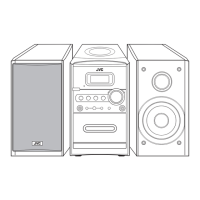
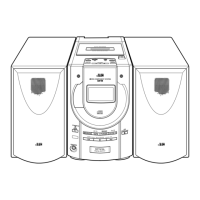
JVC UX-H10 - User Manual

JVC UX-H10
72 pages
Print Icon
To Next Page IconTo Next Page
Loading...
LVT1092-009B
[UW]
INSTRUCTIONS
MANUAL DE INSTRUCCIONES
INSTRUÇÕES
MICRO COMPONENT SYSTEM
SISTEMAS DE MICROCOMPONENTES
SISTEMA DE MICRO COMPONENTES
UX-H10
Consists of CA-UXH10 and SP-UXH10
TIMER SET
RANDOM SLEEP
INTRO
STANDBY/ON
TIMER
ON/OFF
REMAIN
BEAT CUT
DISPLAY
/CLOCK SET
MUTING
RM-SUXH10U REMOTE CONTROL
SOUND
/BASS
CD
TAPE CD
VOLUME
TUNER
/BAND
REPEAT
ST/MONOPROGRAM
STANDBY/ON
STANDBY
OPEN
VOLUME
MICRO COMPONENT SYSTEM
UX-H10
CD SYNCHRO RECORDING
English
Español
Português
UX-H10[UW]cover_ff.p65 03.9.25, 1:17 PM1

Table of Contents

Other manuals for JVC UX-H10

Questions and Answers

  • A
    Amy CooperJul 30, 2025
    How to fix no sound on my JVC UX-H10 Stereo System?
    • C
      Crystal NicholsJul 30, 2025
      If your JVC Stereo System has no sound, there could be several reasons: * The speakers might not be properly connected; in this case, check the speaker connections. * The wrong function could be selected; if so, set the switch to the correct position. * The volume control may be defective; adjust the volume to an audible level. * The headphone jack might be faulty; consider replacing it. * There could be a defect in U801 or U601; in that case, check the voltages and replace if necessary.
  • M
    millerjessicaAug 5, 2025
    What to do if my JVC UX-H10 Stereo System cannot read the TOC and there is no sound?
    • J
      Joseph LawrenceAug 5, 2025
      If your JVC Stereo System cannot read the TOC and there is no sound, consider the following possibilities: * The disc might be inserted upside down; ensure it is correctly inserted. * The disc might be dirty; wipe it clean with a soft cloth. * The disc might be scratched or seriously warped; try using a new disc. * A non-standard disc might have been inserted; use only a brand-name disc. * Moisture might have formed inside the CD deck; wait about 20 to 30 minutes. * There could be a defect in IC701, IC702, or IC703; check the voltages and replace if necessary. * The CD pickup mechanism might be defective; replace it as required.
  • C
    Cole ThomasAug 10, 2025
    Why is the sound weak on my JVC UX-H10?
    • M
      Michael ParkAug 11, 2025
      If your JVC Stereo System has no sound or weak sound (low sensitivity), it could be due to several reasons: * The FM antenna may not be connected; connect the built-in or external antenna. * The band selector switch may be defective; replace or repair the switch. * U201 or U260 may be defective; check voltages and replace if necessary. * The intermediate frequency tuning may be faulty; readjust it. * There might be poor contact in the FM antenna circuit; resolder or repair as required.
  • S
    Susan SmithAug 16, 2025
    What causes low sensitivity on JVC UX-H10?
    • J
      Jonathan Stevens MDAug 17, 2025
      If your JVC Stereo System is producing no sound or weak sound (low sensitivity), several factors could be responsible: * The unit might be improperly located; rotate or reposition it. * IF T201 may be defective; check its resistance, voltage, and current and replace as needed. * The AM antenna coil L202 or oscilloscope coil T202 may be defective; replace if necessary. * The intermediate frequency tuning or RF tracking may be faulty; readjust them. * U201 or U260 may be defective; check voltages and replace if necessary. * There might be poor contact in the antenna circuit; check resistance and resolder.
  • A
    Alyssa SandovalAug 23, 2025
    Why is the tape sound unsteady on my JVC UX-H10?
    • S
      Sarah StephensonAug 23, 2025
      If your JVC Stereo System has no sound, unsteady tape sound during recording, or weak sound, here are some possible causes and solutions: * The capstan or head might be dirty; clean them with alcohol. * The cassette tape winding might be irregular; replace the tape. * U301 may be defective; check the voltage and replace if necessary. * The cassette erasure prevention tabs might be broken; replace the tape or cover the tab openings with adhesive tape.

Summary

Getting Started and Initial Setup

Connecting Speakers and Antennas

Instructions for connecting speakers and AM/FM antennas for audio and radio reception.

Basic Operations and Sound Settings

Powering Unit On, Standby, and Off

Procedures for turning the unit on, switching to standby, and unplugging power.

Source Selection and Volume Control

How to choose audio sources and control the volume level.

Radio Reception and Tuning

Tuning and Searching for Radio Stations

How to tune into stations and stop searching for signals.

Presetting and Recalling Radio Stations

Manual and preset tuning methods for FM/AM radio stations.

Disc Playback Operations

Normal CD Playback Procedure

Loading and playing back CDs, CD-Rs, and CD-RWs.

Tape Playback Operations

Recording Functions

Recording from Radio Broadcasts

How to record FM/AM radio programs onto a cassette tape.

Disc Synchronized Recording

Recording audio from a CD to a cassette tape automatically.

Timer Functions

Troubleshooting Common Issues

JVC UX-H10 Specifications

General IconGeneral
BrandJVC
ModelUX-H10
CategoryStereo System
LanguageEnglish

Related product manuals