4
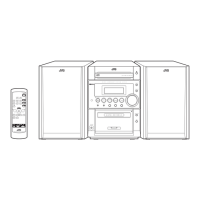
Front Panel
1 Disc tray
2 Display window
3 STANDBY lamp (9)
4 (standby/on) button (9, 17, 22)
5 Remote sensor
6 CLOCK button (9)
7 TIMER button (21, 22)
8 Cassette holder
9 PHONES jack (10)
p 0 (disc tray open/close) button (15)
q SOUND button (10)
w AHB (Active Hyper Bass) PRO button (10)
e Source buttons
CD 3/8 (play/pause), TAPE 2 3 (play), FM/AM,
and AUX
Pressing one of these buttons also turns on the unit.
r VOLUME + / – control (10)
t Multi operation buttons
4 (reverse search), 7 (stop), and ¢ (forward search)
y ) (cassette holder open) portion (18 – 20)
u REV.MODE (reverse mode) button (18 – 20)
i REC (recording) button (19, 20)
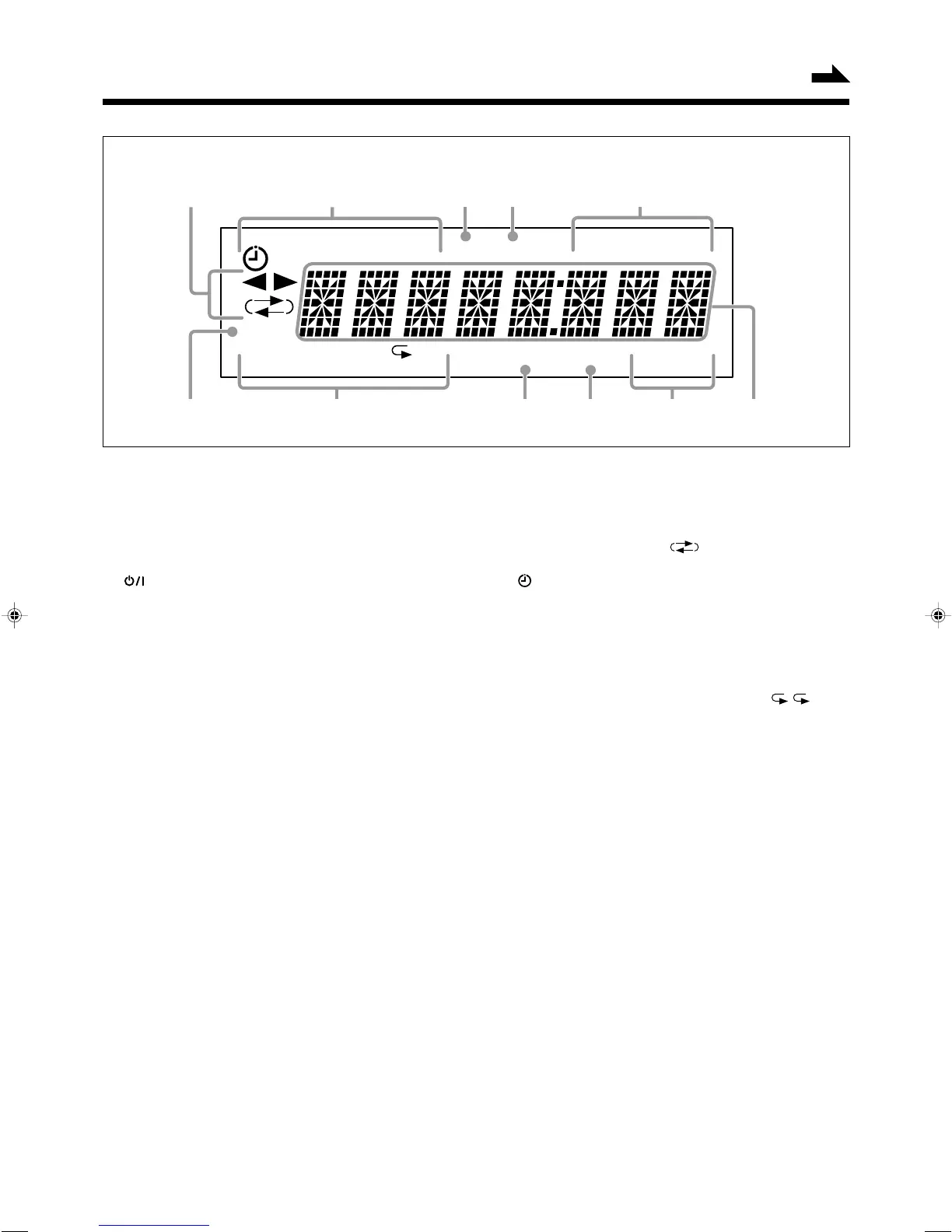
Display Window
PRGM
CLOCK
RANDOM
[
DAILY REC SLEEP
]
TA NEWS INFO
REC RDS
ALL BASS SOUND MONO ST
768
pq
1
2
5
3
4
9
Display Window
1 Tape operation indicators
• 2 3 (tape direction) and (reverse mode)
2 Timer indicators
• (timer), DAILY (Daily Timer), REC (Recording
Timer), and SLEEP (Sleep Timer)
3 REC indicator
4 RDS indicator
5 TA, NEWS, and INFO indicators
6 CLOCK indicator
7 Disc play mode indicators
• PRGM (program), RANDOM, and repeat ( / ALL)
8 BASS (Active Hyper Bass Pro) indicator
9 SOUND (sound mode) indicator
p Tuner operation indicators
• MONO and ST (stereo)
q Main display
• Shows the source name, frequency, etc.
Continued
See pages in the parentheses for details.
EN01-08_UX-P30[B]f.pm6 03.4.18, 4:04 PM4


 To Next Page
 Loading...