26
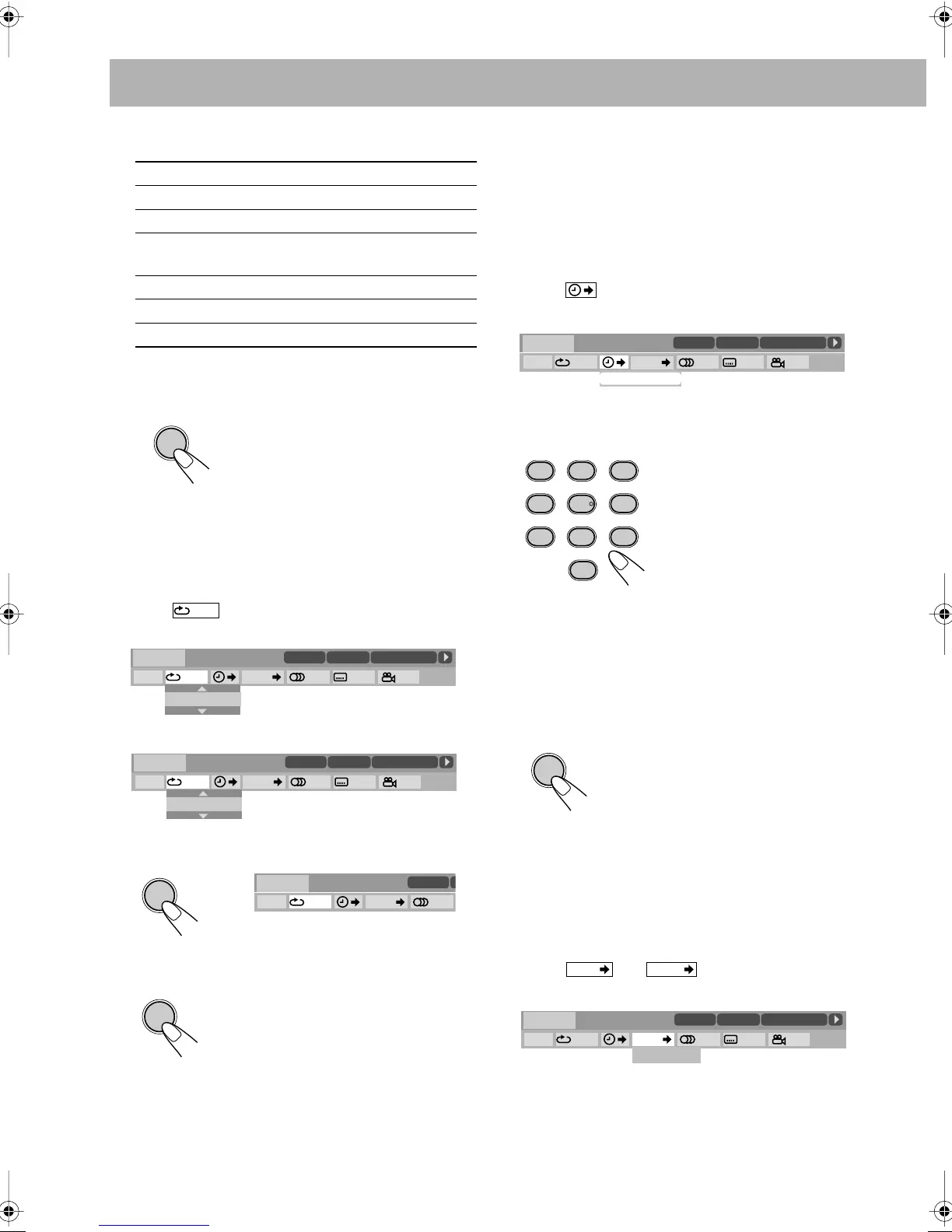
4 Select the repeat mode you want.
* During Program Play and Random Play, “STEP”
appears.
5 Finish the setting.
A-B Repeat
• See also page 23.
1 While playing, display the on-screen bar with the pull-
down menu.
2 Select .
3 Display the pop-up window.
4 Select “A-B.”
5 Select the start point (A).
6 Select the end point (B).
To cancel A-B Repeat,
repeat steps
1
to
3
, and select “OFF”
in step
4
.
Time Search
You can move to a particular point by specifying the elapsed
playing time from the beginning.
1 While playing (without PBC for SVCD/VCD), display
the on-screen bar with the pull-down menu.
• Except for DVD: Time Search can be used before
starting playback.
2 Select .
3 Display the pop-up window.
4 Enter the time.
You can specify the time in hours/minutes/seconds.
• It is always required to enter the hour digit (even “0”
hour), but it is not required to enter trailing zeros (the
last two digits in the examples above).
•
To correct a misentry,
press Cursor
<
to erase the last
entry.
5 Finish the setting.
Chapter/Track Search
You can search for the chapter (DVD Video) or track (DVD
Audio) number to play.
1 While playing, display the on-screen bar with the pull-
down menu.
2 Select
or
.
3 Display the pop-up window.
A-B
Repeats a desired portion (see below).
TITLE
Repeats the current title.
GROUP
Repeats the current group.
ALL
Repeats the disc (except for DVD) or
program.
CHAPTER
* Repeats the current chapter.
TRACK
* Repeats the current track.
OFF
Cancels Repeat Play.
A-B Repeat starts. The selected
portion plays repeatedly.
• Before pressing ENTER, you can
search for the end point using the
¡
button.
ENTER
OFF
OFF
1/3
1/3 1/3
TIME
TITLE
14
TOTAL
1:25:58
CHAP
23
DVD-VIDEO
TITLE 2
TIME OFF CHAP. 1/31/ 3 1/1
TIME 0:00:58
CHAP 3
8.5Mbps
OFF
OFF
1/3
1/3 1/3
TIME
TITLE
14
TOTAL
1:25:58
CHAP
23
DVD-VIDEO
TITLE 2
TIME OFF CHAP. 1/31/ 3 1/1
TIME 0:00:58
CHAP 3
8.5Mbps
A–B
ENTER
1/3
TIME
TITLE
14
C
DVD-VIDEO
TITLE 2
TIME A- CHAP. 1/3
8.5Mbps
ENTER
Examples:
To move to a point of 1
(hours): 02 (minutes): 00
(seconds), press 1, 0, 2, 0, then
0.
To move to a point of 54
(minutes): 00 (seconds), press
0, 5, 4, 0, then 0.
The System starts playing the disc
from the selected playing time.
OFF
1/3
1/3 1/3
TIME
TITLE
14
TOTAL
1:25:58
CHAP
23
DVD-VIDEO
TITLE 2
TIME OFF CHAP. 1/31/ 3 1/1
TIME 0:00:58
CHAP 3
8.5Mbps
TIME _ : _ _ : _ _
AUDIO ANGLE
SUB TITLE
ZOOM VFP
FM MODEREV. MODE
DVD LEVEL
PROGRESSIVE
1
4
7
0
2
5
8
3
6
9
CHAP.
TRACK
OFF
1/3
1/3 1/3
TIME
TITLE
14
TOTAL
1:25:58
CHAP
23
DVD-VIDEO
TITLE 2
TIME OFF CHAP. 1/31/ 3 1/1
TIME 0:00:58
CHAP 3
8.5Mbps
CHAPTER _
OSDOperation.fm Page 26 Friday, May 14, 2004 6:56 PM


 To Next Page
 Loading...