20
English
2
Enter the key number.
3
Follow the interactive instructions shown on the
screen.
To cancel the key number entry,
press 7
.
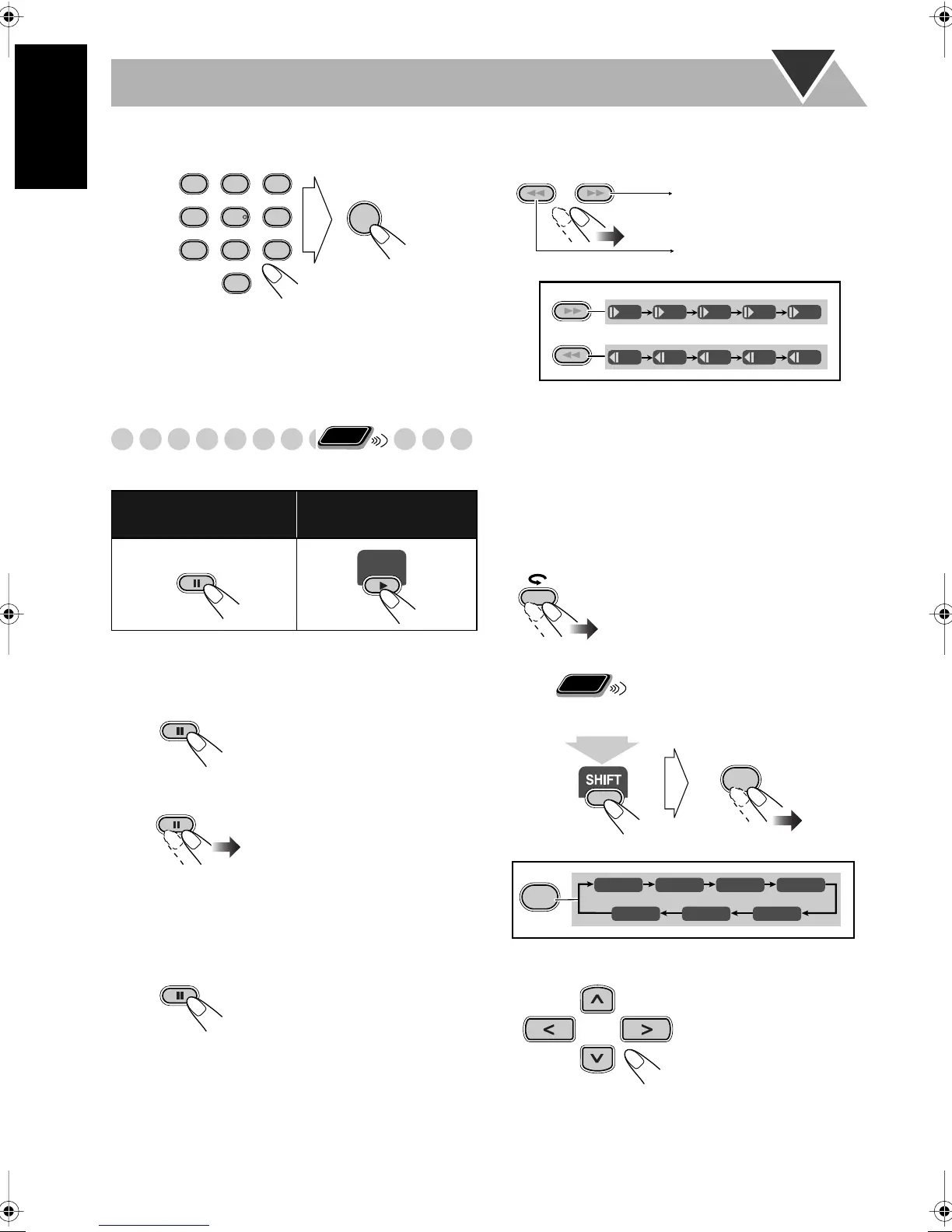
Special Effect Playback
Still picture playback
Frame-by-frame playback
1
While playing...
2
Advance the still picture frame by frame.
To resume normal playback,
press DVD/CD 3
.
Slow-motion playback
1
While playing...
2
Select slow motion speed.
*Not available for SVCD/VCD.
To resume normal playback,
press DVD/CD 3
.
To replay the previous scenes
(One-Touch Replay)
• This function is only used while playing DVD Video.
While playing back...
Zoom
1
While playing back...
2
Move the zoomed-in position.
To cancel Zoom,
press ZOOM repeatedly (while holding
SHIFT) until “ZOOM OFF” appears on the TV.
To start still picture play-
back:
To resume normal
playback:
While playing...
Still picture playback starts.
Still picture playback starts.
AUDIO ANGLE
SUB TITLE
ZOOM VFP
FM MODEREV. MODE
DVD LEVEL
PROGRESSIVE
1
4
7
0
2
5
8
3
6
9
ENTER
Remote
ONLY
DVD/CD
The playback position moves
back about 10 seconds before the
current position (only within the
same title).
SLOW
SLOW
+
–
SLOW
SLOW
+
–
1/32 1/16 1/8 1/4 1/2
1/32 1/16 1/8 1/4 1/2
Forward slow motion starts.
Reverse slow motion* starts.
Remote
ONLY
ZOOM
4
ZOOM 1 ZOOM 2
ZOOM
4
ZOOM 3 ZOOM 4
ZOOM 5ZOOM 6
ZOOM OFF
(at the same time)
UniqueDVD.fm Page 20 Tuesday, June 1, 2004 10:43 AM


 To Next Page
 Loading...