EasyManua.ls Logo

JVC UX-T77RE - User Manual

JVC UX-T77RE
40 pages
Print Icon
To Next Page IconTo Next Page
Loading...
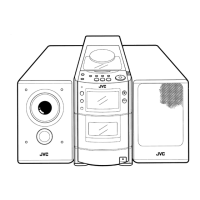
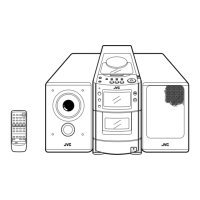
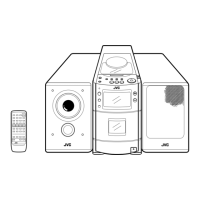
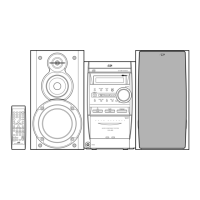
UX-T77R
MICRO COMPONENT SYSTEM
SISTEMAS DE MICROCOMPONENTES
SISTEMA A MICROCOMPONENTI
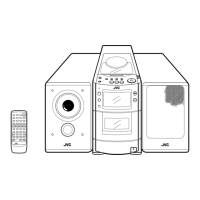
UX-T200R E MICRO COMPONENT SYSTEM
SISTEMA DE MICROCOMPONENTES
SISTEMA A MICROCOMPONENTI
INSTRUCCIONES
MANUALE DI ISTRUZIONI
INSTRUCTIONS
SC
LVT0280-002A
[E]
Enter below the Model No. and Serial No.
which are located either on the rear, bot-
tom or side of the cabinet. Retain this
information for future reference.
For Customer Use:
Model No.
Serial No.
UX-T77R E,LVT0280-002A 99.3.30, 8:42 PM41

Questions and Answers

  • B
    Brian AndersonAug 16, 2025
    What to do if the JVC UX-T77RE Stereo System remote control is impossible to use?
    • K
      Kristin ChapmanAug 16, 2025
      If you're unable to use the remote control with your JVC Stereo System, first, replace the batteries in the remote. If that doesn't work, make sure the remote sensor isn't exposed to bright light, such as direct sunlight. If it is, move the system away from the light.
  • J
    jamie84Aug 18, 2025
    What to do if my JVC UX-T77RE power cannot be turned on?
    • S
      Sarah MurphyAug 19, 2025
      If your JVC Stereo System isn't powering on, the first thing to check is whether the power cord is properly plugged into the outlet.
  • G
    Gregory SmithAug 22, 2025
    What to do if there is no sound from the speakers of my JVC UX-T77RE Stereo System?
    • H
      Henry TurnerAug 22, 2025
      If you aren't getting any sound from the speakers of your JVC Stereo System, make sure headphones are not connected. Disconnect any connected headphones.
  • G
    Gregory TaylorAug 25, 2025
    What to do if my JVC Stereo System CD player does not play?
    • P
      parkerandrewAug 25, 2025
      If the CD player on your JVC Stereo System isn't working, check if the CD is placed correctly, ensuring it is not upside down. Also, check if the CD is dirty and needs cleaning.
  • M
    Mary MooreAug 27, 2025
    What to do if the JVC Stereo System timer operation does not start?
    • R
      Ryan PooleAug 28, 2025
      If the timer on your JVC Stereo System isn't starting, make sure the current time is set correctly. Also, ensure that the timer mode is displayed.
  • L
    Laura TorresAug 31, 2025
    What to do if a portion of CD does not play correctly on my JVC Stereo System?
    • F
      Fernando GarrettAug 31, 2025
      If a specific part of a CD isn't playing correctly on your JVC Stereo System, inspect the CD for scratches.
  • E
    Elizabeth MeyerSep 3, 2025
    Why is the playback sound very low on my JVC UX-T77RE?
    • S
      stevensnyderSep 3, 2025
      If the playback sound on your JVC Stereo System is very low, the head may be dirty. Clean the head.
  • J
    Jennifer FosterSep 6, 2025
    What to do if the ONE TOUCH REC button does not function on my JVC UX-T77RE Stereo System?
    • O
      owilkinsSep 6, 2025
      If the ONE TOUCH REC button on your JVC Stereo System isn't working, check the safety tabs of the cassette.
  • D
    denisekingSep 9, 2025
    How to fix noisy reception on JVC Stereo System?
    • B
      Brian ShermanSep 9, 2025
      To improve noisy reception on your JVC Stereo System, try adjusting the antenna.
  • D
    Derek JamesSep 12, 2025
    What to do when the standard solutions do not resolve the issue with my JVC Stereo System?
    • K
      Kenneth BrewerSep 12, 2025
      Unplug the power cord, wait for a while, then plug it back in. Reset the correct values for the clock and timer.

Summary

Safety Precautions

General Safety Warnings

Covers risks like fire, electric shock, and exposure to rain or moisture.

Laser Product Safety

Details Class 1 laser safety, invisible radiation, and interlock mechanisms.

Connections

Power Supply

AC Power and Car Battery Operation

Details on connecting the AC power cord and operating the unit via a car battery.

Remote Control Unit

Power Switching

Playing CDs

Cassette Playback

Radio Reception

Tuning Modes and Operations

Explains AUTO/MONO, Seek, and Manual tuning for radio reception.

Radio Reception (Continued)

Program Search by PTY Codes

PTY Code Search Procedure and Descriptions

Steps to search for programs by PTY codes and explanations of the codes.

EON Functionality

Recording

Recording Precautions and CD Synchro Record

Notes on recording safety and how to perform synchronized recording with CDs.

Clock Adjustment

Setting the Clock

Step-by-step instructions for setting the unit's current time.

Timer Operations

Setting the Timer

Initial setup required before using any timer functions.

Timer Operations (Continued)

Timer Recording of Broadcasts

Timer Recording Procedure

Detailed steps for recording broadcasts using the timer function.

Timer Playback

Sleep Timer Operations

Sleep Timer for Falling Asleep and Morning Playback

Using the sleep timer to turn off automatically or for morning playback.

Maintenance

Troubleshooting

Common Issues and Solutions

Lists common problems and step-by-step solutions for the unit.

Specifications

Specifications (Continued)

JVC UX-T77RE Specifications

General IconGeneral
TypeMicro Component System
CD PlayerYes
BluetoothNo
USB PortNo
Cassette DeckYes
Weight (Main Unit)2.8 kg
TunerFM/AM
Speakers2
Speakers Details2-way

Related product manuals