EasyManua.ls Logo

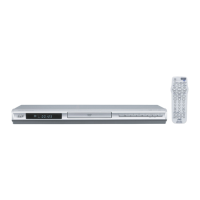
JVC XV-N670BUB - User Manual

JVC XV-N670BUB
28 pages
Print Icon
To Next Page IconTo Next Page
Loading...
XV-N670B
XV-N672S
DVD PLAYER
INSTRUCTIONS
LVT1873-027A
[UB]
DV300H-JP.BHKGJJK_ENG_MFL47214270

Questions and Answers

  • W
    William SolisSep 2, 2025
    Why is my JVC DVD Player remote control not working?
    • S
      Steve TownsendSep 2, 2025
      If the remote control isn't working properly with your JVC DVD Player, try these solutions: First, ensure that you are pointing the remote control directly at the remote sensor on the DVD player. Next, make sure you are operating the remote control close enough to the DVD player. Finally, the remote control code might not match the unit. Identify the correct remote control code for your unit (see page 23).
  • J
    Jessica DunlapAug 31, 2025
    What to do if my JVC DVD Player has no power?
    • M
      Mark Martinez DDSAug 31, 2025
      If your JVC DVD Player has no power, the power cord may be disconnected. Make sure to securely plug the power cord into the wall outlet.
  • R
    Renee MilesAug 29, 2025
    Why is there no picture on my JVC DVD Player?
    • A
      afullerAug 29, 2025
      If you are getting no picture on your JVC DVD Player, there are a few potential causes. First, your TV might not support the resolution set on the DVD player. Consult your TV's manual and use the RESOLUTION button on the DVD player to select a compatible resolution. Second, ensure that your TV is set to receive the DVD signal output. Finally, check that the video cable is securely connected.
  • H
    Helen ChavezAug 28, 2025
    Why won't my JVC XV-N670BUB DVD Player start playback?
    • S
      smckinneyAug 28, 2025
      If your JVC DVD Player isn't starting playback, it could be due to an incompatible disc. Ensure you're using a playable disc, and check the disc type and regional code for compatibility.
  • G
    ghurstAug 26, 2025
    How to troubleshoot a JVC XV-N670BUB DVD Player that has no power?
    • J
      Jesse CervantesAug 26, 2025
      If your JVC DVD Player isn't turning on, the most likely cause is that the power cord is not properly connected. Ensure the power cord is securely plugged into the wall outlet.
  • A
    Allen DavisAug 25, 2025
    Why my JVC XV-N670BUB DVD Player has no sound?
    • A
      Amy JohnsonAug 25, 2025
      If there's no sound coming from your JVC DVD Player, check these things: First, make sure the equipment connected to the audio cable is set to receive DVD sound output by selecting the correct input mode on the audio receiver. Check that the connected equipment is powered on. Finally, ensure that the AUDIO options are correctly configured and then turn on the DVD player again.
  • M
    Matthew RossAug 22, 2025
    What to do if my JVC DVD Player does not start playback?
    • J
      Joseph CombsAug 22, 2025
      If your JVC DVD Player does not start playback, the disc inserted may not be playable. Ensure you insert a playable disc, checking both the disc type and the regional code for compatibility.

JVC XV-N670BUB Specifications

General IconGeneral
TypeDVD Player
Audio FormatsDolby Digital, DTS
Video OutputsComposite, S-Video, Component
Progressive ScanYes
Remote ControlYes
USB PortYes
Disc FormatsDVD-R, DVD-RW, CD, CD-R, CD-RW
Audio OutputsDigital Optical, Digital Coaxial
UpscalingYes

Related product manuals