13. REMoTE CoNTRoL
All amplifier functions, including signal routing, output configuration, channel equalization and delay can
be controlled via K-Framework software.
To download your free K-Framework software and K-Framework User Guide, please navigate to the
K-array website http://www.k-array.com/software_download
Connect you computer to the USB input of the amplifier using a USB cable.
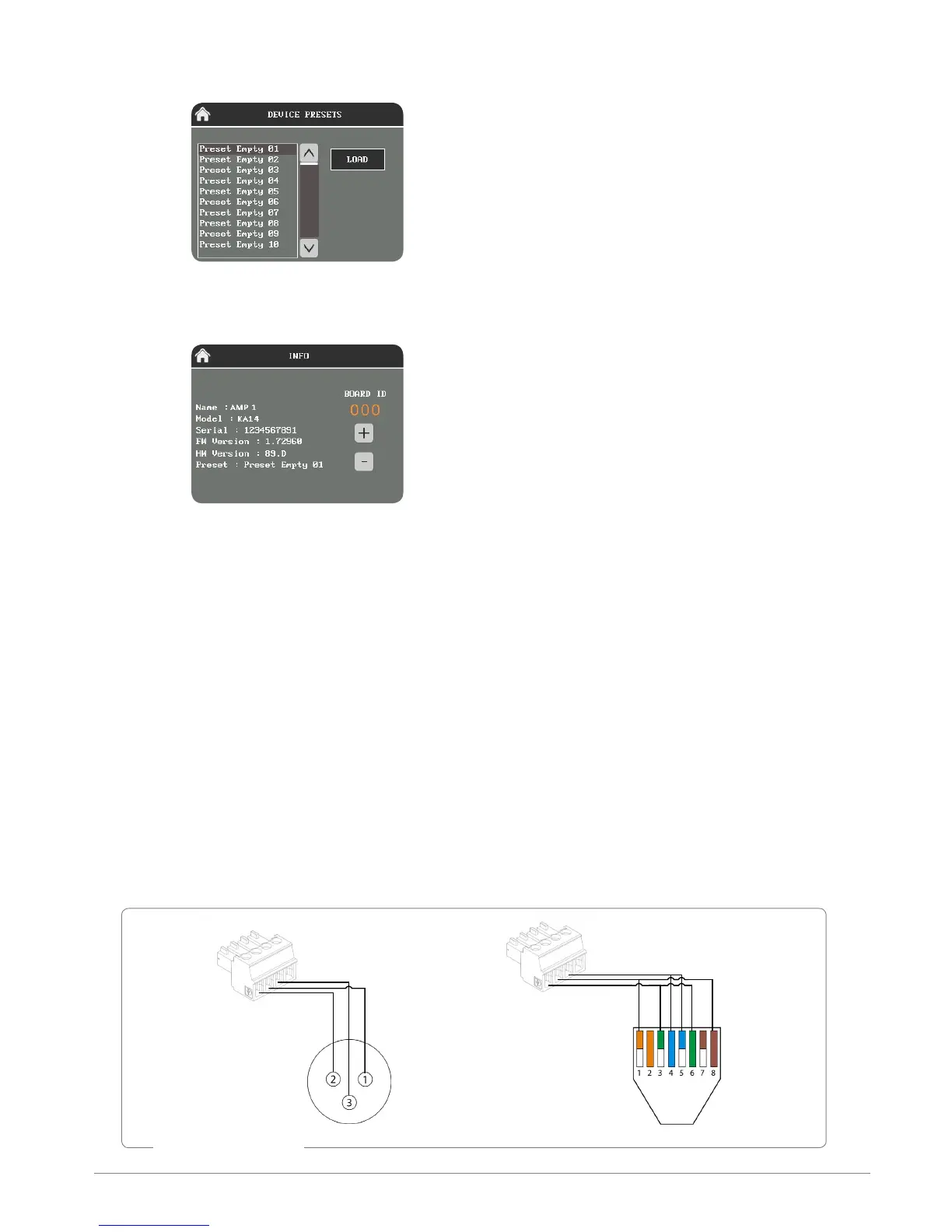
The amplifier features also 4-pins phoenix connector, for remote control of the amplifier via RS485
protocol. We recommend to use the K-USB accessory as a USB to serial converter. The K-USB allows you
to use a XLR cable or RJ45 cable to connect the computer to the amplifier. To connect the XLR or RJ45
cable to the phoenix connector, please follow the scheme below:
PRESET
The
Preset page
allows users to load presets stored
on-board.
INfo
The
Info page
contains information about the
current software and firmware, and the Board ID
of the amplifier. When connecting the amplifier in
a K-framework network, please make sure that all
devices in the network have different ID numbers.
RS485 connection
1: Ground
2: Data A-
3: Data B+



 To Next Page