System reboot
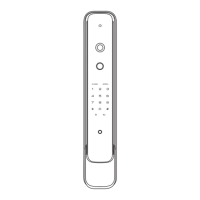
Replace battery
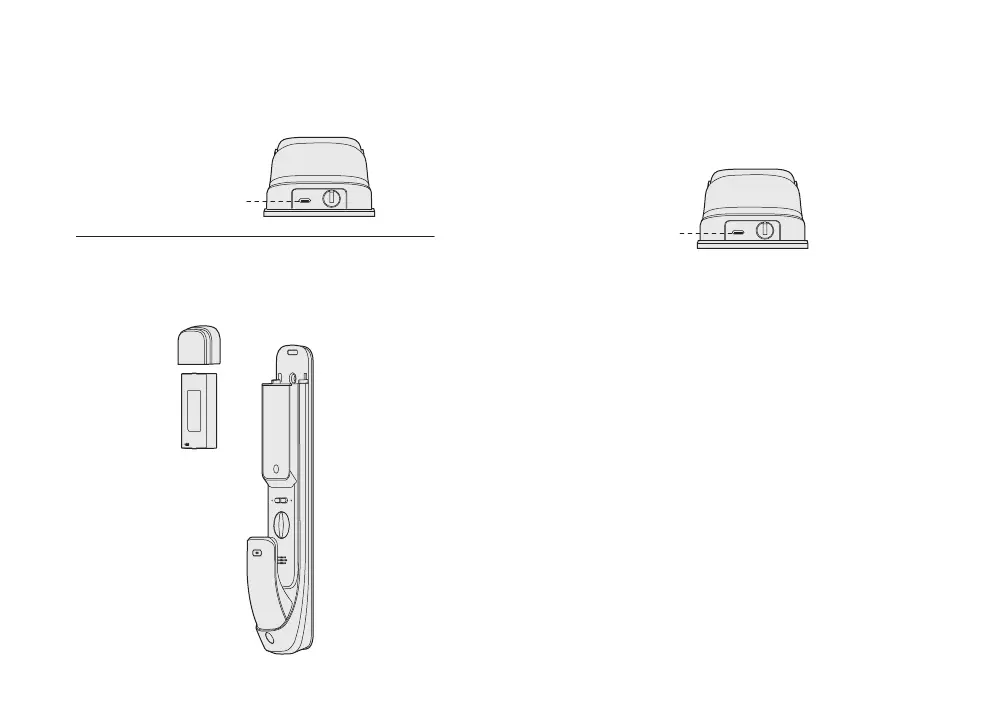
If you need to reboot the system, you can use a 5V power bank
as an emergency power supply and power the door lock through
the Type-C port.
Emergency power supply
When the battery voltage is too low to open the lock from outside,
you can use 5V power bank to charge the door lock via Type-C
port. After the door is unlocked, please replace battery
immediately.
Note:
When battery is too low, voice prompt "Low battery, please
change battery in time" at each unlocking and please replace
battery immediately.
When voice prompt “low battery , please change battery in time”.
please follow the prompt to change battery in time.
Type-C port
Type-C port


 To Next Page