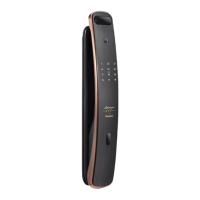
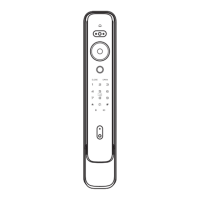
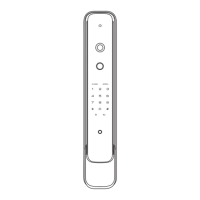
The Kaadas L8 is an intelligent door lock designed to provide secure and convenient access to your property. It offers a range of features for both normal and security modes, with various access methods and user management capabilities.
Function Description
The Kaadas L8 functions as a smart door lock, allowing users to open and close doors using multiple methods, including PIN codes, fingerprints, RFID cards, and mechanical keys. It supports both normal and security modes, with the default being normal mode. The lock can be configured to suit different security needs and user preferences.
Important Technical Specifications
- Master PIN Code: Yes, available in both normal and security modes. The default master PIN code is 12345678. In security mode, a dedicated master PIN code is used.
- PIN Code Capacity: 20 groups for both normal and security modes, including normal user PIN codes and one-time PIN codes.
- Fingerprint Capacity (Optional): 100 groups, consisting of 99 groups for normal fingerprints and 1 group for the master fingerprint. This applies to both normal and security modes.
- Card Capacity: 100 pcs for both normal and security modes.
- Access to Master Mode: Can be accessed using the master PIN code or master fingerprint (optional).
- Power Supply: Requires 4pcs of batteries.
- Door Thickness: Default screw pack is suitable for door thickness 38–60mm. Other screw packs may be required for different thicknesses.
- Emergency Power: A 5V power supply can be connected via the Micro USB port for emergency unlocking when batteries are low.
Usage Features
- Opening from Outdoor:
- PIN Code: Wake up the touchscreen keypad with your palm, enter the enrolled PIN code followed by [#], and then press the handle to open.
- Fingerprint: Place an enrolled finger on the fingerprint sensor area until a beep sound and "door opened" voice prompt, then press the handle to open.
- Card: Place an enrolled card on the card icon area until a beep sound and "door opened" voice prompt, then press the handle to open.
- Dual Verification Mode (Security Mode): In security mode, double verification is required. This can be a combination of PIN Code + Fingerprint, PIN Code + Card, or Fingerprint + Card.
- Mechanical Key Override: In cases of forgotten PIN code, low battery, or system error, a mechanical key can be used. Open the mechanical key hole cover (by pulling it out and rotating 90 degrees), insert the key, rotate it, and then press the handle.
- Closing from Outdoor/Indoor: Turn the handle upward to lock the deadbolt.
- Master Mode Access:
- By Master PIN Code: Wake up the touchscreen, press [*] twice, input the master PIN code, and press [#] to confirm.
- By Master Fingerprint: Wake up the touchscreen, press [*] twice, then press the already enrolled master fingerprint to enter master mode.
- User Setting (within Master Mode):
- Add Normal User: Press [1] to enroll user PIN code, fingerprint, or card. For PIN codes, enter the code and confirm with [#]. For fingerprints, place the finger on the sensor, remove, and scan again multiple times until "Enrollment succeed." For cards, place the card on the icon area until a beep and "Enrollment succeed."
- Add Temporary User: Press [2] to enroll a temporary user PIN code.
- Add/Change Master Fingerprint: Press [3] to enroll or change the master fingerprint. Avoid using the same fingerprint as a normal user.
- Change Master PIN Code: Press [4] to change the master PIN code.
- Delete User (within Master Mode):
- Individual User: Press [1] to delete an individual user's PIN code, fingerprint, or card.
- All User PIN Codes: Press [2] to delete all user PIN codes.
- All Fingerprints: Press [3] to delete all fingerprints.
- All Cards: Press [4] to delete all cards.
- Enable/Disable Dual Verification Mode: Press [6] to toggle this feature.
- Enable/Disable Auto Mode: Press [7] to toggle this feature.
- Language Settings: Press [2] followed by [1] for Chinese, [2] for English, [3] for Spanish, [4] for Portuguese, or [5] for Russian.
- PIN Code Random Digits: Supports random digits before or after the real PIN code (maximum 20 digits).
Maintenance Features
- Reboot: If the system is unresponsive, press the reboot button to restart the lock. No user data is deleted during a reboot. The Micro USB port is used for this.
- Replace Battery: When the battery voltage drops below 4.8V, the lock will prompt "Low battery, please replace all batteries" during unlocking. Replace all 4pcs batteries immediately, ensuring not to mix old and new batteries.
- Restore to Factory Setting: If the master PIN code is forgotten, open the inside escutcheon cover and quickly double-press the [RES] button. This will restore the lock to factory settings, clear all user information, and prompt to change the master PIN code.

 Need help?

 To Next Page
 General