Need help?
Do you have a question about the Kaadas Lamborghini Legends and is the answer not in the manual?
Read and understand all instructions before using this smart lock. Damages caused by failure to follow instructions is not covered by the warranty.
Do not place battery closing to fire in case of explosion. Do not short-circuit the two poles of the battery lead with metal objects to avoid explosion.
Please understand the local electronic product classification and collection system. Please follow the local regulations and do not discard used batteries into ordinary household garbage.
This Package list is for reference only, and all contents are subject to the actual packaging contents.
Illustrates different door opening directions: Right-out open, Right-in open, Left-out open, Left-in open.
Step-by-step guide on how to change the latchbolt direction using an Allen wrench and faceplate.
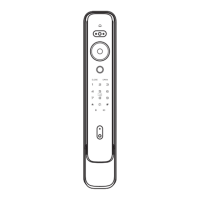
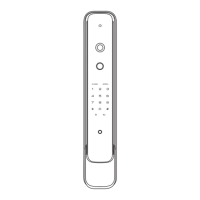
Diagram identifying components of the front panel, including doorbell, keypad, card reader, and fingerprint sensor.
Diagram identifying components of the back panel, including unlock inside sensor, buttons, knob, reset button, and battery cover.
Explains system modes (security mode, common mode) and dual/single verification requirements for PIN, fingerprint, and card.
Instructions on entering user numbers for enrollment/deletion and managing user information.
Steps to enter master mode by interacting with the keypad and entering the master PIN code.
Guide to add a user PIN code, requiring master mode and confirmation.
Steps to add a user fingerprint, requiring master mode and sensor interaction.
Procedure to add a one-time PIN code, requiring master mode and confirmation.
Instructions to change the master PIN code, requiring master mode and confirmation.
Instructions for deleting single user PIN codes, fingerprints, or cards, or deleting all of a specific type.
Guide to enable or disable dual verification mode, requiring master mode.
Instructions to enable or disable auto mode (automatic locking) or manual mode.
Steps to select the system language (Chinese or English) via the keypad.
Guide to connect to or disconnect from the network for extension functions.
Steps to unlock the door from the outside using a PIN code via the keypad.
Steps to unlock the door from the outside using a fingerprint on the sensor.
Steps to unlock the door from the outside using a card on the reader area.
How to use the close button to lock the door and enable privacy mode.
How to use the open button to unlock the door.
Procedure to enable or disable the inside handle sensor for unlocking.
Steps to reset the lock to factory settings by pressing the reset button, and re-configuring the master PIN.
How to use a 5V power bank via Micro USB port for emergency unlocking when battery is low.
Instructions to restart the lock using the reboot button when a system error occurs.

 To Next Page
 General