lodging-tech@kaba-ilco.com
1-800-906-4526
All FDU’s must be synchronized
(same time & date) @ least once a year.
1
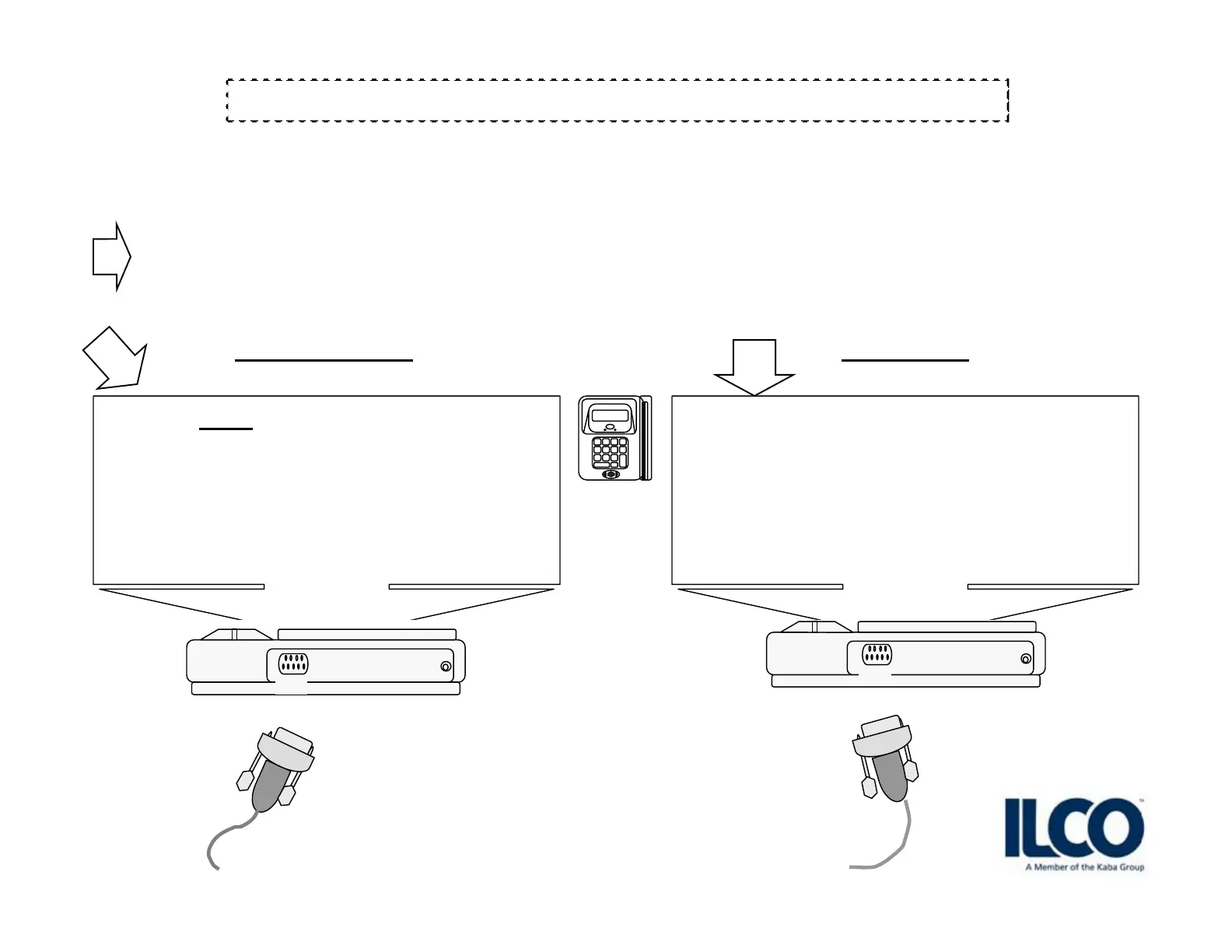
Connect the DB9 cable to:
<A> on Transmitter
<A> on Receiver
FDU TO FDU DATA TRANSFER
Sign up for our Technical Support Website http://connect.kabalodging.com/
G4
TRANSMITTER
Swipe a GMA
keycard through the FDU.
Press 8 then
Press 2 then
Send configuration
Press 2
[ GOOD WORKING UNIT ]
2
RECEIVER
3
DB9 FEMALE / FEMALE NULL MODEM SERIAL CABLE
cable provided with FDU unit when purchased.
Swipe a GMA
keycard through the FDU.
Press 8 then
Press 2 then
Receive configuration
Press 1
A
A



 To Next Page