MDM2010 – ILB3210 Installation Guide
9 | Page
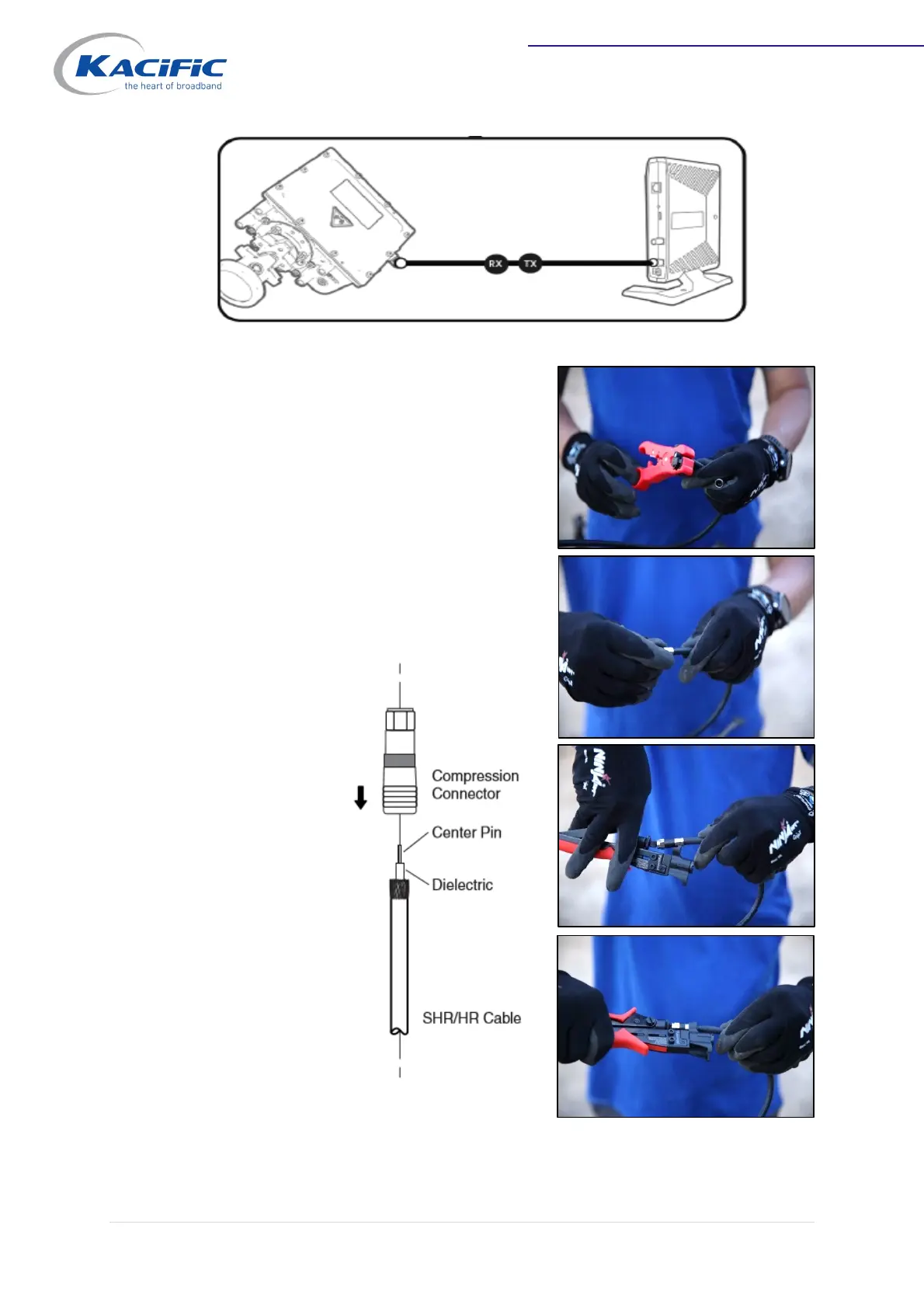
Cable with F-type connectors
1. Push the compression connector onto the
cable until the dielectric is flush with the
inner ring of the connector. The center pin
should stand out slightly from the front ring.
2. Select and place the correct adapter into the
compression tool. Use the gold adapter for
gold connectors and the silver adapter for
nickel connectors.
3. Place the cable
and connector
in the opened
compression
tool.
4. Compress the
cable and
connector
together.



 To Next Page