
 Need help?
Do you have a question about the KACIFIC MDM2010 and is the answer not in the manual?
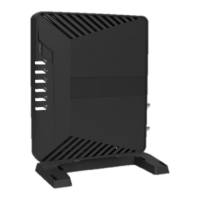
Details about the MDM2010 modem, its manufacturer, and AC power adaptor.
Information on setting up the ILB3210 Ka-band interactive LNB, including polarization adjustment.
Description of the 30-meter coaxial cable and F connectors supplied for the installation.
Lists and describes the individual parts making up the Azureshine ANT2010 antenna.
Detailed instructions for assembling the physical structure of the satellite antenna.
Guidance on preparing and installing the coaxial cable between the modem and transceiver.
Recommendations for routing and protecting the coaxial cable from potential damage.
Instructions for powering on the modem and verifying operational status via LED indicators.
Guide for setting up a WiFi router to establish connectivity for the modem.
Steps to connect a smartphone to the modem using the Point&Play app for antenna alignment.
Guidance on using the application to accurately point the antenna towards the satellite.
Procedure to verify the antenna's stability and ensure it remains aligned after adjustments.
Process to certify the satellite terminal's alignment before it can be brought online.
How to connect a laptop to the modem and access its status and configuration interface.
Steps to perform ping tests and measure download/upload speeds for network verification.
A detailed table listing satellite beams, names, and polarization requirements.

 To Next Page
 General