MDM2010 – ILB3210 Installation Guide
13 | Page
3.2.2 Point&Play Application Connection
3.2.3 Antenna Pointing
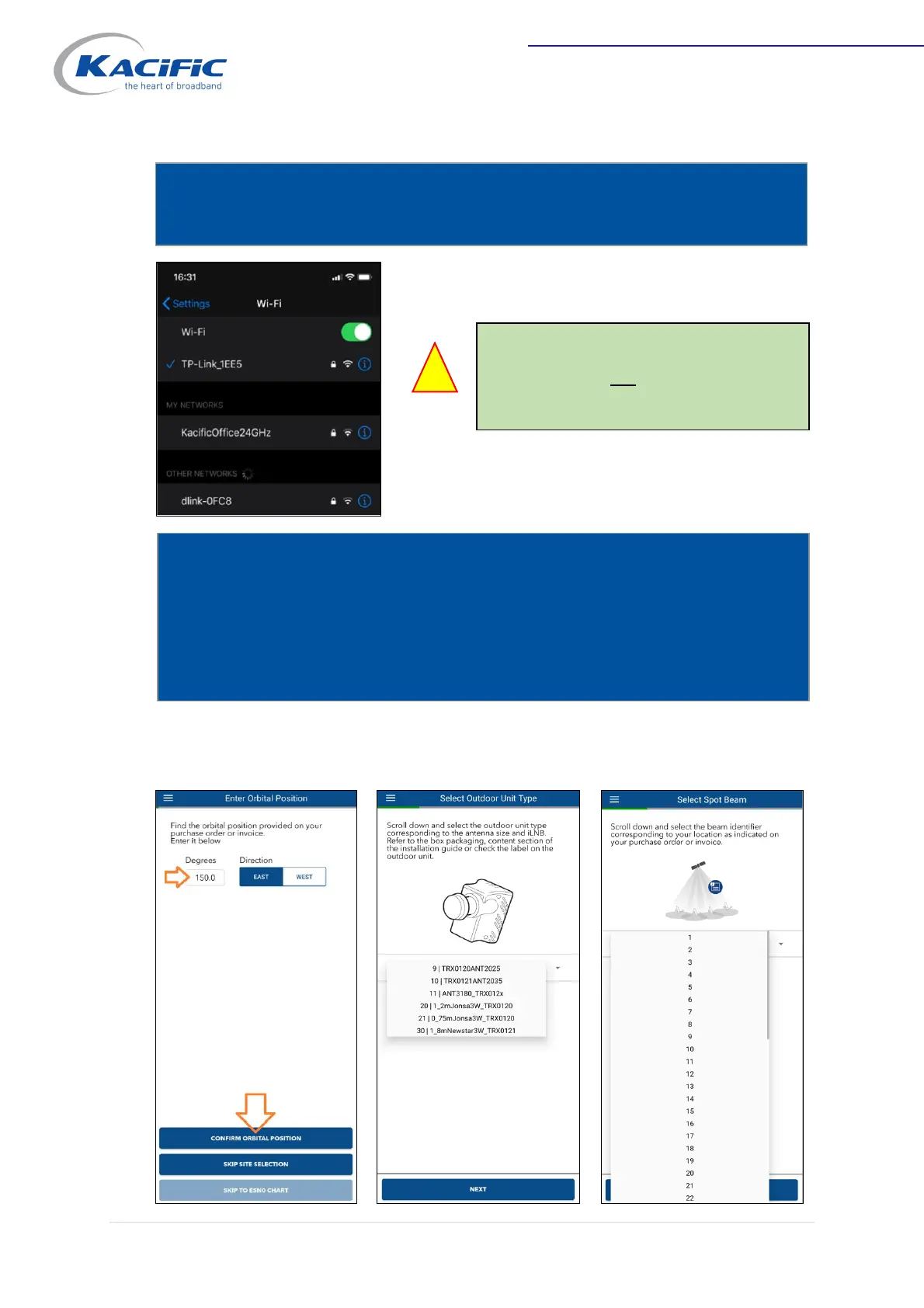
Connect your smartphone to the WiFi router (info card provided with TPLink WiFi
SSID & password).
Note: Ensure you are connected to the
WiFi router and not to any other WiFi
network.
Open Newtec Point&Play® mobile application on your smartphone connected to
the modem via the WiFi router (in AP mode).
- Select “75 cm” antenna.
- Select the transceiver type.
- Select beam number (see table in Annex 1).


 To Next Page