MDM2010 – ILB3210 Installation Guide
18 | Page
3.2.4 Antenna Rigidity Check
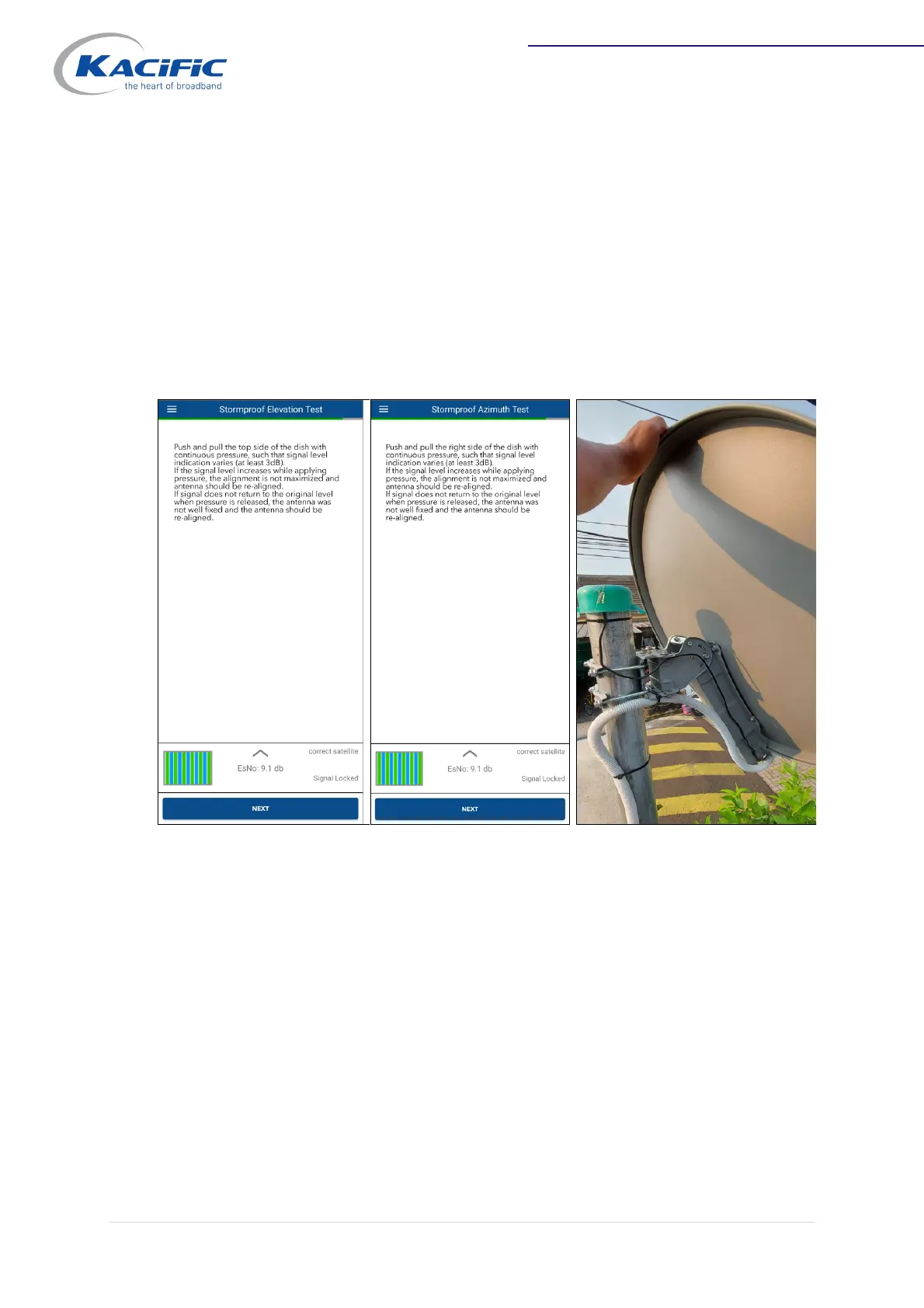
Check the rigidity of the fixed antenna by gently pushing and pulling the right and top
sides of the dish.
- If the signal level increases while applying pressure, the alignment is not
maximized.
- If the signal does not return to its original level, the antenna screws have not
been tightened properly.
In both cases, the antenna should be re-aligned.
The antenna is now well pointed, and the modem signal is locked in maximum EsNo.
On the Point&Play Apps, click "NEXT" to go to Terminal Certification.


 To Next Page