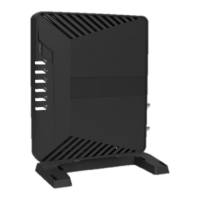
MDM2010 – ILB3210 Installation Guide
Contents
1 Preparation ........................................................................................................................ 1
1.1 Modem MDM2010 .................................................................................................... 1
1.2 Transceiver ILB3210 Setup ......................................................................................... 2
1.2.1 Transceiver ILB3210 .............................................................................................. 2
1.2.2 Adjustment of Transceiver Polarization (if needed)............................................. 3
1.3 Coaxial Cable and Connectors ................................................................................... 4
2 Terminal Installation .......................................................................................................... 5
2.1 Azureshine Antenna ANT2010 Ka-Band 75 cm .......................................................... 5
2.1.1 Antenna Components ........................................................................................... 5
2.1.2 Step-by-Step Antenna Assembly .......................................................................... 6
2.2 Coaxial Cable Installation between Modem and Transceiver ................................... 8
2.2.1 Cable Preparation ................................................................................................. 8
2.2.2 Cable Path ........................................................................................................... 10
3 Terminal Commissioning and Qualification ..................................................................... 11
3.1 Power on the Modem .............................................................................................. 11
3.2 Antenna Alignment Using Power and Play Apps ..................................................... 11
3.2.1 WiFi Router Installation ...................................................................................... 11
3.2.2 Point&Play Application Connection ................................................................... 13
3.2.3 Antenna Pointing ................................................................................................ 13
3.2.4 Antenna Rigidity Check ....................................................................................... 18
3.3 Terminal Certification .............................................................................................. 19
3.4 Terminal Testing ...................................................................................................... 20
3.4.1 Modem to Laptop Connection ........................................................................... 20
3.4.2 Satellite Network Connection Test ..................................................................... 22
Annex 1: List of Beams and Polarization .................................................................................. 23



 To Next Page