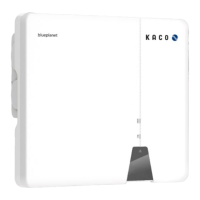
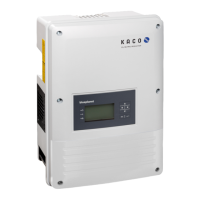
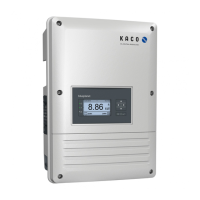
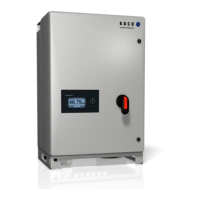
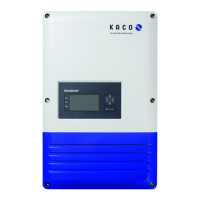
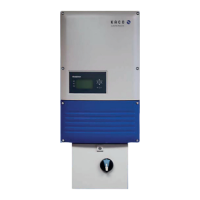
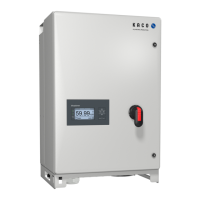
Photovoltaic feed-in inverter
Table of contents
1 General information ........................................ 1
1.1 Notes regarding this document .......................... 1
1.2 More information ............................................... 1
1.3 Layout of Instructions ......................................... 1
1.4 Target group ....................................................... 2
1.5 Marking .............................................................. 3
2 Safety .............................................................. 4
2.1 Intended use ...................................................... 4
2.2 Protection features ............................................ 5
3 Description of the device ................................. 6
3.1 Mode of operation ............................................. 6
3.2 System layout ..................................................... 6
4 Technical data ................................................. 7
4.1 Electrical data ..................................................... 7
4.2 General data ....................................................... 8
4.3 Environmental data ............................................ 8
4.4 Accessories ......................................................... 8
5 Transportation and Delivery ............................ 9
5.1 Scope of delivery ................................................ 9
5.2 Transporting the device ..................................... 9
5.3 Installation tool .................................................. 9
6 Assembly and preparation ............................. 10
6.1 Choosing the installation location .................... 10
6.2 Unpacking the device ....................................... 11
6.3 Fastening the mount ........................................ 12
6.4 Installing and securing the device .................... 13
7 Installation .................................................... 14
7.1 General information ......................................... 14
7.2 Surveying the connection area ......................... 14
7.3 Making the electrical connection ..................... 15
7.4 Connecting the device to the power grid ......... 15
7.5 Connecting the PV generator to the device ..... 17
7.6 Creating equipotential bonding ....................... 20
7.7 Connecting the interfaces ................................ 20
7.8 Connecting the Smart-Meter for dynamic feed-in
.......................................................................... 21
8 Commissioning .............................................. 23
8.1 Requirements ................................................... 23
8.2 Preconditions relating to standards ................. 23
9 Configuration and operation ......................... 24
9.1 Start condition .................................................. 24
9.2 Initial start-up ................................................... 24
9.3 Authorisation .................................................... 25
9.4 Operating system and system configuration.... 26
9.5 Signal elements ................................................ 27
9.6 Connecting to the device .................................. 28
9.7 Menu of the Communication unit .................... 31
9.8 Additional functions ......................................... 34
9.9 Menu of Inverter .............................................. 37
9.10 Operation mode ............................................... 38
9.11 Enabling functions ............................................ 39
9.12 Performing a firmware update ......................... 49
9.13 Monitoring with “blueplanet web” .................. 51
9.14 Monitoring the device ...................................... 52
9.15 Active power control with a Smart-Meter ....... 52
9.16 Information on dynamic feed-in ...................... 52
10 Maintenance and troubleshooting ................ 55
10.1 Visual inspection............................................... 55
10.2 Cleaning ............................................................ 55
10.3 Shutting down for maintenance work /
troubleshooting ................................................ 56
10.4 Troubleshooting ............................................... 57
10.5 Error code ......................................................... 57
10.6 Fault during connection set-up and search ...... 60
10.7 Disconnecting connections ............................... 61
11 Decommissioning and dismantling ................ 62
11.1 Switching off the device ................................... 62
11.2 Uninstalling the device ..................................... 62
11.3 Disassembling the device ................................. 63
11.4 Packaging the device ........................................ 63
11.5 Storing the device ............................................. 63
12 Disposal ......................................................... 63
13 Service and warranty ..................................... 63
14 Appendix ....................................................... 64
14.1 EU Declaration of Conformity .......................... 64


 To Next Page
 Loading...