5
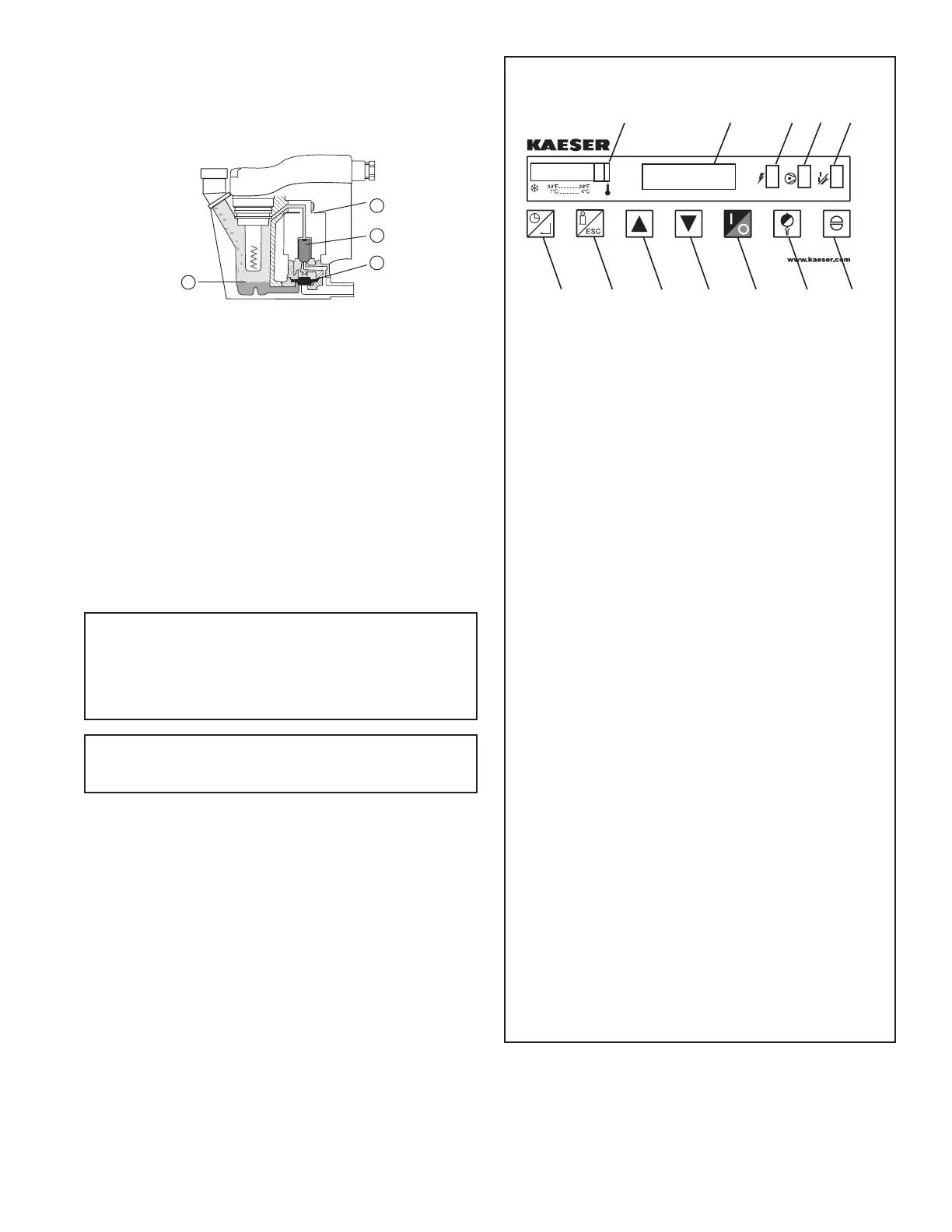
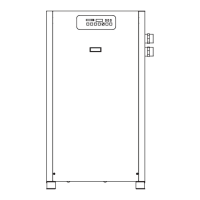
1. Temperature Indicator
2. Operator Interface Display
3. Power-on Light
4. Compressor-on Light
5. Alarm / Service Light
6. Schedule On/Off and Enter Button
a. In display mode: Press to toggle between
SCHEDULE RUNNING and MANUAL OVERRIDE.
b. In program mode:
i. Press to move to a lower level menu.
ii. Press to accept a value that has been edited.
7. Program Mode (i) and Esc
a. In display mode: Press and hold to enter program
mode.
b. In program mode: Press to move to a higher level
menu.
8. Up Arrow
a. In display mode: No function
b. In program mode:
i. Presstoviewthenextiteminalistorto
increment a variable to a higher value. Press
and hold for accelerated incrementing.
ii. When the top of the list (or highest value) is
displayed, pressing the up button will cause
the display to wrap to the bottom of the list (or
lowest value).
9. Down Arrow
a. In display mode: No function
b. In program mode:
i. Press to view the previous item in a list or to
increment a variable to a lower value. Press and
hold for accelerated incrementing.
ii. When the bottom of the list (or lowest value) is
displayed, pressing the down button will cause
the display to wrap to the top of the list (or
highest value).
10. 1/0: Press at any time to turn the dryer on/off.
11. Drain test: Press at any time to momentarily the open
drains (like the current emm).
12. Reset: Press at any time to clear the alarm/service
message (if shown) and the alarm LED.
CONTROL PANEL
6
78
910
11
12
causes the solenoid core (3) to move, closing the pilot air
supplylineandopeningthepilotairexhaustline.After
the pilot air above the diaphragm (4) is vented, pressure
in the reservoir opens the discharge port and forces
the condensate through the discharge port and outlet
piping.
2.0 OPERATION
2.1 Minimum/Maximum operating conditions
A. Maximuminletairpressure:refertodryerserialnumber
tag
B. Minimum inlet air pressure: 30 psig (2.1 kgf/cm
2
)
C. Maximuminletairtemperature:120°F(49°C)
D. Maximumambienttemperature:
Air-cooled models: 110°F (43°C)
Water-cooled models: 130°F (54°C)
E. Minimum ambient temperature: 45°F (7°C)
2.2 Start-up
A. Energizedryer.Greenpoweronlightwillilluminate.
IMPORTANT:Energizedryerdisconnectswitch(provided
by others, see NEC) 24 hours before refrigeration
compressor is started! Never use the disconnect switch
toshutdownthedryerforaextendedperiodoftime
(exceptforrepair).Failuretofollowtheseinstructions
may result in a non-warrantable compressor failure.
NOTE: If there is no power to the control board for
a period of two weeks or more, it may return to the
default mode.
B. Program Monitor
Press and hold Program Mode button until Main Menu screen
appears. Use the Up and Down arrow buttons to scroll
through the list of submenu choices. Press Enter button to
viewthesubmenuthatisdisplayed.PressESCtoexitthe
Main Menu and return to Display mode.
1. Language selection
a. Use the ‘Up’ and ‘Down’ arrow buttons to scroll
through the list of languages (choice of 10 available:
English, Deutsch, Francais, Espanol, Italiano, Polski,
Dansk, Dutch, Norsk and Suomi).
b. Press ‘Enter’ button to select the language that is
displayed.
c. Push ‘ESC’ at any time to return to the Main Menu.
1
2
3
4


 To Next Page