POWER ON / OFF
09 - ENG
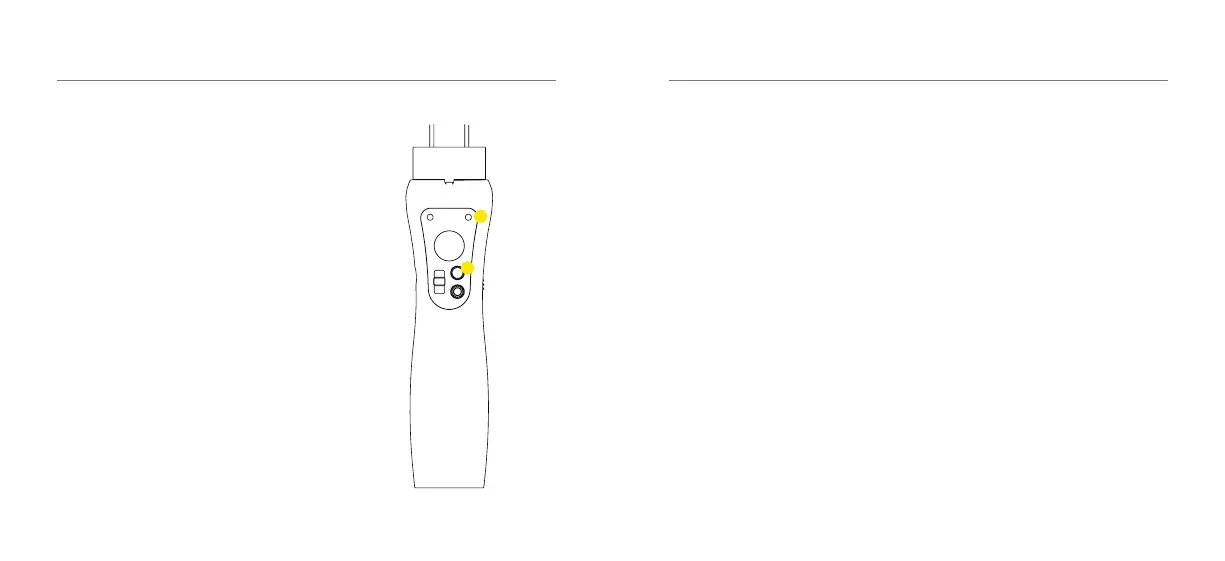
1. To power ON / OFF the Gimbal, press
and hold the power button (7) for 3
seconds until the green light turns
on (6).
CONNECTING
10 - ENG
How to Pair your Smartphone with
your Gimbal
1. Place your Smartphone onto the
Gimbal. (See page 7)
2. Power on the S3 by holding the power
button for a few seconds.
3. Open your Bluetooth settings and
connect with the device named ‘KB S3’.
4. If the pairing is successful you can now
use your S3 Gimbal to record video and
take photos.
5. If the pairing is not successful try
turningBluetoothoandonuntilyou
see ‘KB S3’.
7
6


 To Next Page