OPERATION
11 - ENG
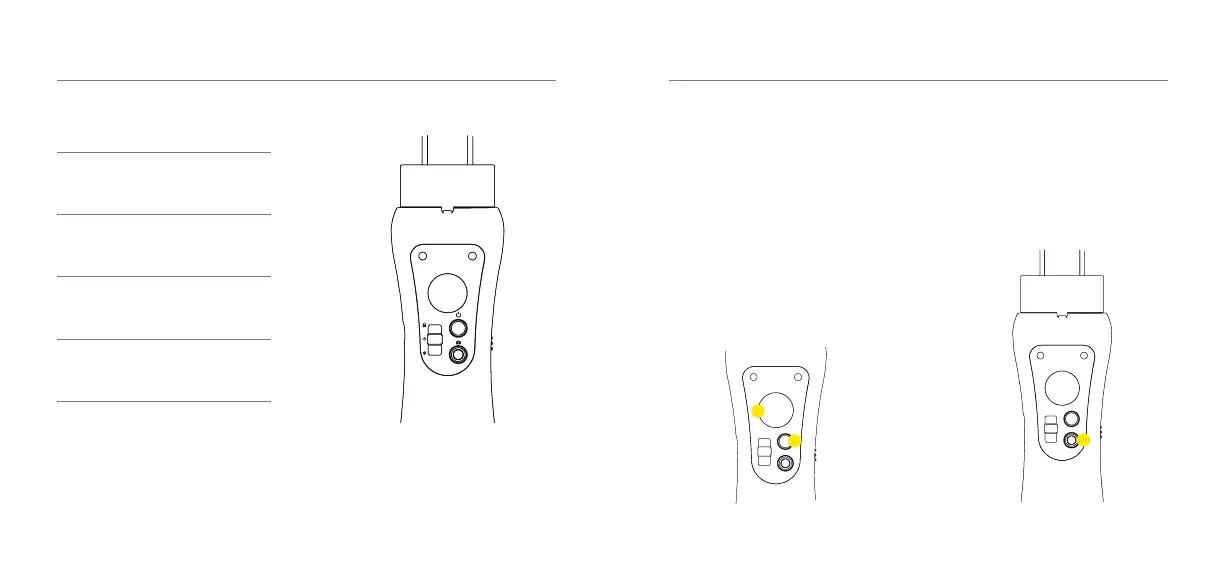
Status Indicator Light
Red and Green -
Flashing
Power On
Green Light -
On
Standby Mode
Green Light -
Flashing
State Transition
Red light -
Flashing
Low Battery
OPERATION
12 - ENG
Controls
1. Joystick
Use the joystick to pan or tilt the
Smartphone.
2. Power Button
Hold the power button for a few seconds to
power ON / OFF.
To re-centre the Gimbal, simply double tap
the power button.
1
2
3. Capture Button
Press the Capture Button to take photos
and to start/stop recording videos. To
switch between photo and video modes,
tap the icons on your Smartphone screen.
3



 To Next Page