13
EN
X360 | User Guide
Using Your X360 Camera
Charging the battery
Before using the X360 for the first time it is recommended that you
fully charge the battery.
Procedure:
1. Connect the X360 to an electronic device using the USB cable
provided.
2. If using a wall charger, ensure that it is a certified product for
your region. AC Input: 100-240VAC 50/60Hz. DC Output: 5VDC
0.5A/1A/2.1A. Only use a USB charger with suitable approval and
certification. Do not charge in conditions outside of the 10°C-
50°C range.
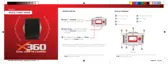
3. When the X360 is charging, a blue light will glow above the
power button.
4. A completely flat battery will take approximately 5 hours to fully
charge. The Blue LED will switch o when fully charged.
Note:In order to operate the camera whilst charging please ensure you are using a
wall charger.


 To Next Page