25
EN
X360 | User Guide
Converting Spherical 360 Video to Panoramic Video
1. Download the X360 Video Processing Tool application from
http://kaiserbaas.com/apps/x360-app/
2. Install it on your PC and launch the X360 Video Processing Tool
application.
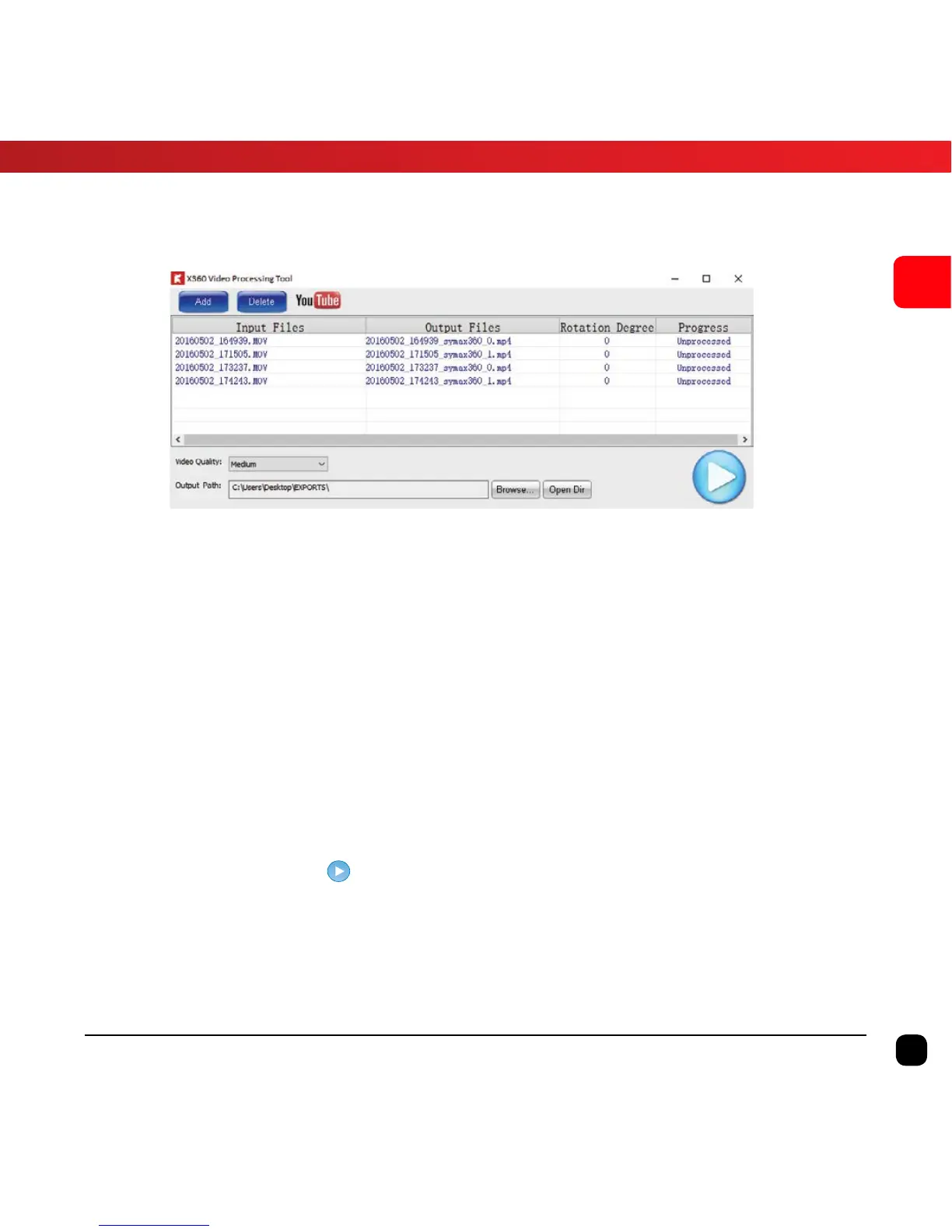
3. Import the 360° Video file that is saved on your computer.
Tip: To import, click Add button and browse for the saved location or you can
drag and drop the files into the application.
4. Change the output path if you want to save the file on a
dierent location.
5. Click this button to start processing the video files. You will
be able to see the progress during the conversion process.
The length of this process is based on the length of the video.
6. Once the process is completed, you can upload the panoramic
360 video file onto YouTube or Facebook.


 To Next Page