27
EN
X360 | User Guide
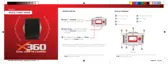
To upload 360 Videos to Facebook from your computer:
1. Follow the same steps as you would to add any other video to
a Facebook.
2. Before publishing your video, click the Advanced tab.
3. Tick the checkbox next to your video to confirm your video was
recorded in a 360° format. This will allow your video to have the
interactive 360° controls available.
4. Click the 360 Controls tab to be able to set the initial camera
orientation and field of view for your video.
5. Click Publish.


 To Next Page