REVIEWING YOUR FOOTAGE
Reviewing your footage
To review footage, tap the Playback
icon on the screen.
Scroll through the menu to select
and review footage.
Click on the back button to return to
the main screen.
5
6
7
Main Menu Screen
Playback Menu
04 - ENG
5
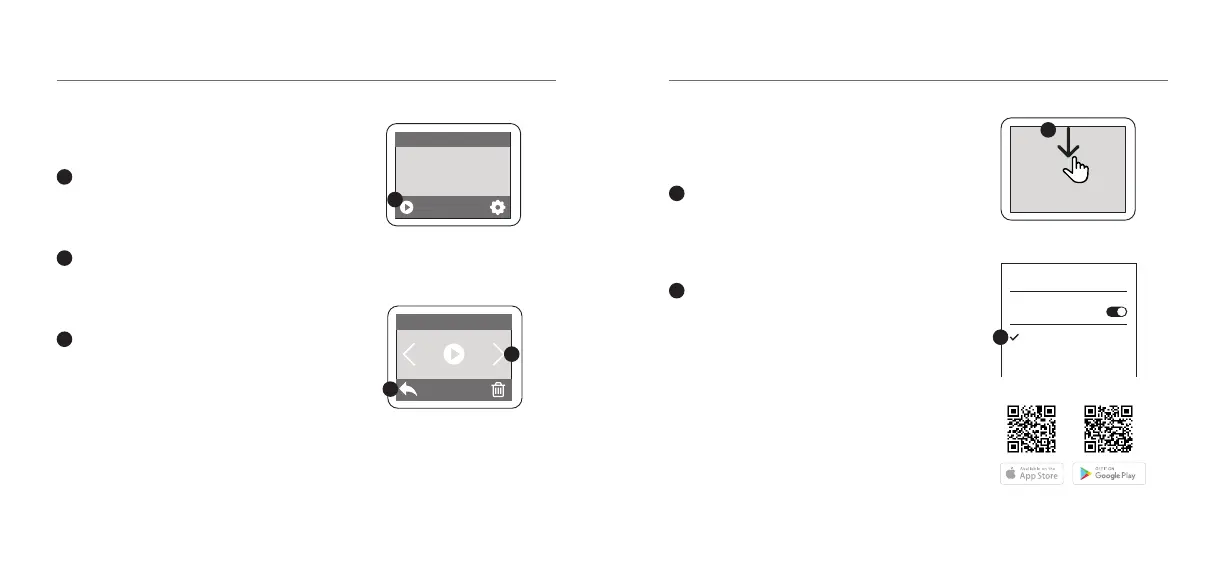
Wi-Fi & KB APP
Connecting to the KB
Capture App
Turn on Wi-Fi on your camera by
swiping down on the screen and
then tapping the Wi-Fi icon
Go to your Smartphone settings
and ensure your Wi-Fi is turned on.
Select KB-X600 network. The default
password is: 12345678.
If your connection fails, please close
down the App and relaunch it and
restart the camera.
05 - ENG
Visit www.kaiserbaas.com/support or email
helpdesk@kaiserbaas.com for support. For
the complete user guide, visit www.kaiserbaas.com
1
2
Scan these codes to access the KB-X600 App.
Wi-Fi
Wi-Fi
KB-X600
1
2
7
6



 To Next Page