EasyManua.ls Logo

Kaiweets KM602 - Page 7

Kaiweets KM602
19 pages
Print Icon
To Next Page IconTo Next Page
To Previous Page IconTo Previous Page
Loading...
Operating
Introduction
Gear
selection
Press
the
"E]"
button
to
activate
the
manual
gear
selection
mode
to
choose
a
suitable
measurement
function.
Press
the
"(w]
"
button
to
choose
AC
or
DC
mode
when measuring
AC/DC
voltage
and
AC/DC
current.
Press
and
hold
the
"{u
"
button
for
2
seconds
in
any
position
to
return
to
AUTO
mode.
Power
on
defaultin
SMART
(AUTO)
measurement
mode.
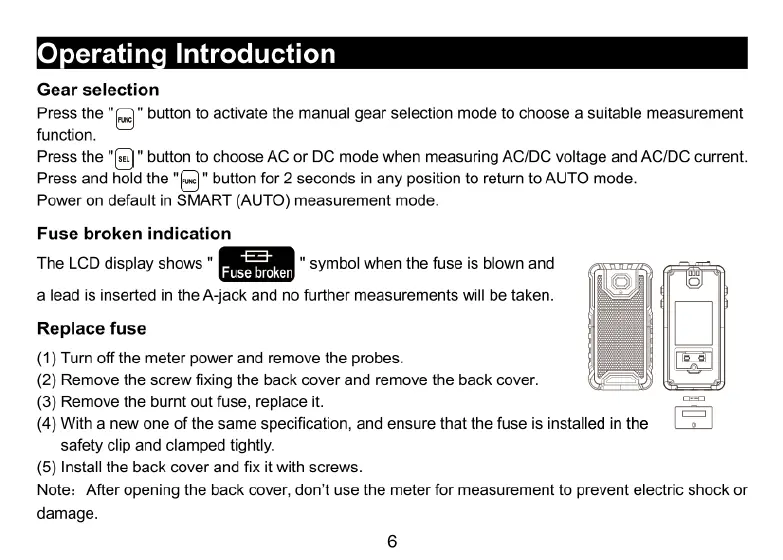
Fuse
broken
indication
The
LCD
display
shows
"
"
symbol
when
the
fuse
is
blown
and
(
alead
is
inserted
in
the
A-jack
and
no
further
measurements
will
be
taken.
Replace
fuse
(1)
Turn
off
the
meter
power
and
remove
the
probes.
(2)
Remove
the
screw
fixing
the
back
cover
and
remove
the
back
cover.
(3)
Remove
the
burnt
out
fuse,
replace
it.
(4)
With
a
new
one
of
the
same
specification,
and
ensure
that
the
fuse
is
installed
inthe
L=
safety
clip
and
clamped
tightly.
(5)
Install
the
back
cover
and
fix
it
with
screws.
Note:
After
opening
the
back
cover,
don't
use
the
meter
for
measurement
to
prevent
electric
shock
or
damage.

Related product manuals