EasyManua.ls Logo

Kaiweets ST600X - Measurement Procedures; Measurement Warnings; SMART Auto Measurement Mode

Kaiweets ST600X
27 pages
Print Icon
To Next Page IconTo Next Page
To Previous Page IconTo Previous Page
Loading...
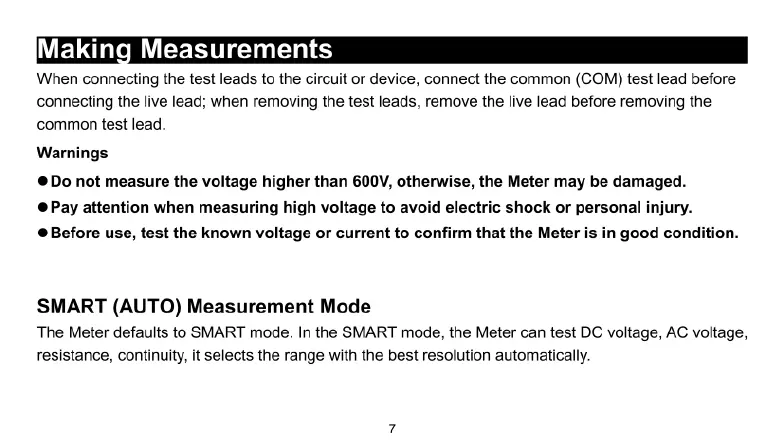
Making
Measurements
When
connecting
the
test
leads
to
the
circuit
or
device,
connect
the
common
(COM)
test
lead
before
connecting
the
live
lead;
when
removing
the
test
leads,
remove
the
live
lead
before
removing
the
common
test
lead.
Warnings
©Do
not
measure
the
voltage
higher
than
600V,
otherwise,
the
Meter
may
be
damaged.
Pay
attention
when
measuring
high
voltage
to
avoid
electric
shock
or
personal
injury.
@Before
use,
test
the
known
voltage
or
current
to
confirm
that the
Meter
is in
good
condition.
SMART
(AUTO)
Measurement
Mode
The
Meter
defaults
to
SMART
mode.
In
the
SMART
mode,
the
Meter
can
test
DC
voltage,
AC
voltage,
resistance,
continuity,
it
selects
the
range
with
the
best
resolution
automatically.

Related product manuals