EasyManua.ls Logo

Kaiweets ST600X - Manual AC;DC Current Measurement

Kaiweets ST600X
27 pages
Print Icon
To Next Page IconTo Next Page
To Previous Page IconTo Previous Page
Loading...
AC/DC
Current
Measurement
1)
Tum
on
&
Ready
to
use
(
look
at
page
8)
2)
Insert
the
red
probe
into
the
'
A"
jack
and
the
black
probe
into
the
'
COM
'
jack.
The
Meter
will
automatically
adjust
to
the
*
A%
*
gear.
3)"
D(_}.
signal
and
'
mA
"
signal
will
be
displayed
on
the
screen,
indicating
DC
current
measurement
4)
Press
the
'
SEL
'
button,
'
mA
'
signal
and
'
AC
"
signal
will
be
displayed
on
the
screen,
indicating
AC
current
measurement.
Note:
®
When
measuring
AC
current,
the
frequency
will
be
displayed,
and
when
measuring
DC
current,
the
ambient
temperature
will
be
displayed
on
the
screen.
®
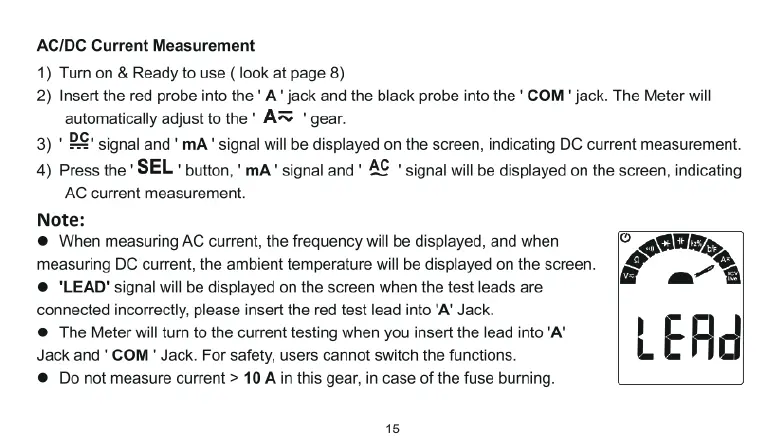
"LEAD"
signal
will
be
displayed
on
the
screen
when
the
test
leads
are
connected
incorrectly,
please
insert
the
red
test
lead
into
'A’
Jack
®
The
Meter
will
tumn
to
the
current
testing
when
you
insert
the
lead
into
‘A"
Jack
and
'
COM
'
Jack.
For
safety,
users
cannot
switch
the
functions.
®
Do
not
measure
current
>
10
A
in
this
gear,
in
case
of
the
fuse
burning.
15

Related product manuals