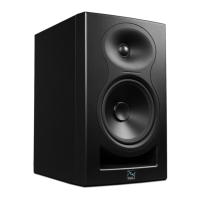
Need help?
Do you have a question about the KALI AUDIO MM-6 and is the answer not in the manual?
Covers user responsibilities, operational safety, electrical precautions, and environmental considerations.
Details safety precautions for remote control batteries and explains warning symbols.
Explains the origin of the 'MM' designation for the speaker series.
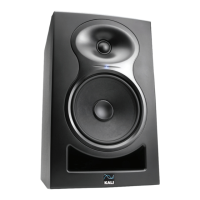
Details the speaker's acoustic design and lineage from studio monitors.
Describes the speaker's continuous output and headroom for dynamic sound.
Explains the limiter circuit's role in protecting the speaker from voltage issues.
Details the design of the port tube and its benefit for speaker placement.
Explains the waveguide technology for enhanced stereo imaging and room acoustics.
Describes the role of DSP in controlling speaker tuning, limits, and EQ.
Highlights the woofer's design for linearity, dynamic range, and clarity.
Explains EQs for compensating low-frequency interactions based on speaker placement.
Diagram illustrating the location and numbering of various inputs and controls on the speaker.
Guide to setting dip switches for various applications without consulting the manual.
Controls for Boundary EQ, HF/LF Trim, and primary speaker designation.
Adjusts speaker output level from muted to +6 dB, with recommended settings.
Details on S/PDIF, Optical, RCA, and XLR inputs for audio sources.
Outputs the secondary channel of a stereo signal to another speaker.
Connects power and allows the speaker to be turned on/off.
Guide to connecting speakers for stereo sound using optical, S/PDIF, or RCA inputs.
Details connecting the secondary speaker using XLR cables for stereo audio.
Alternative method for stereo connection using RCA cables without XLR linkage.
Instructions for connecting speakers in a multichannel audio system.
Explains the functions and operation of the included remote control.
Settings for boundary compensation EQs based on speaker placement, covering positions 1 through 4.
Settings for boundary compensation EQs based on speaker placement, covering positions 5 through 8.
Adjusts low frequency response by -2 dB or +2 dB using DIP switches 4 and 5.
Adjusts high frequency response by -2 dB or +2 dB using DIP switches 6 and 7.
Designates the primary speaker for stereo input using DIP switch 8.
Provides guidance for diagnosing and resolving issues like no sound, distortion, and noise.
 General
| Brand | KALI AUDIO |
|---|---|
| Model | MM-6 |
| Category | Speakers |
| Language | English |

 To Next Page