2.7 Status indicator description
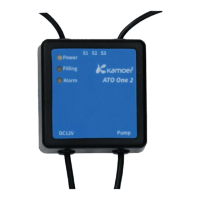
The STATE on the top panel of the device is a combination of power indicator and WiFi status indicator.
Status indicator (yellow)
Status Description
The yellow status light keeps on Connected to the cloud through the router
The yellow status light is off Disconnected from router
The yellow status light is on for
200ms and off for 2 seconds
AP network configuration mode, at this time APP can configure the
device to access the router through the device hotspot
The yellow status light flashes
slowly
Disconnected from the cloud
Power indicator (red)


 To Next Page